

Joomla extension updates, on autopilot.
AutoPilot installs the extension updates Joomla already lists, on the schedule you choose. Pro takes a snapshot before every update, checks your site afterwards, and lets you roll back in two clicks.
- Joomla 4.4, 5 and 6
- PHP 8.1+
- GPL licence
- Runs on Joomla's Scheduled Tasks
- Everything stays on your site
- Light and dark theme
- 5 languages
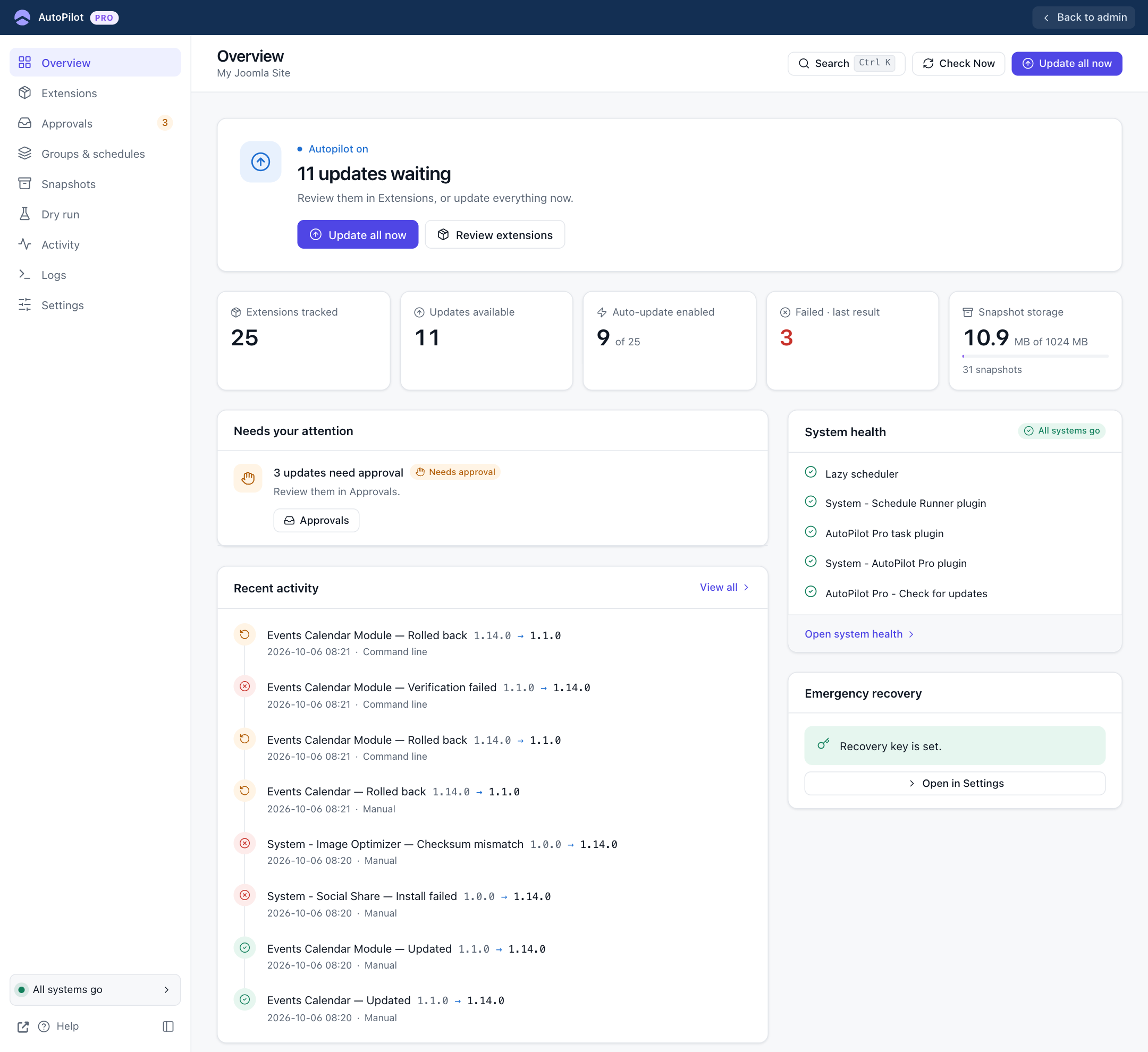
Updating extensions by hand doesn't scale.
One site means a regular round of checking, downloading and clicking Update. Ten sites means a day of it.
It never ends
Every extension has its own release rhythm. There is always another update waiting.
Waiting has a price
An update that waits is often a security fix that waits.
Every update is a small gamble
Most go fine. The one that doesn't takes the site down on a Friday evening.
What AutoPilot does, every time
The same six steps for every extension. Free does the updating. Pro adds the two steps that make it safe.
- 01Check
Asks each extension's own update server for a newer version.
- 02Decide
Applies your switches, schedule and rules.
- 03SnapshotPRO
Saves the extension's files and database tables.
- 04Install
Installs with Joomla's own installer.
- 05VerifyPRO
Checks that the extension and the site still work.
- 06Report
Records the result. Pro emails you when something needs you.
Everything an update manager should do
Free automates the updates. Pro adds the safety net and the controls.
A switch per extension
You choose what updates by itself. Every switch starts off.
Runs on Joomla's Scheduled Tasks
No extra service. You set how often it checks and installs.
Update by hand, with live progress
Update one, a selection or everything, and watch each result arrive.
A full history
Every install, skip and failure, with the reason in plain words.
Health check
Tells you when something would stop updates from running, and how to fix it.
Paid extensions too
Uses the download keys you already entered in Joomla.
Stops retrying what keeps failing
A version that fails again and again is left alone until you look at it.
Find anything fast
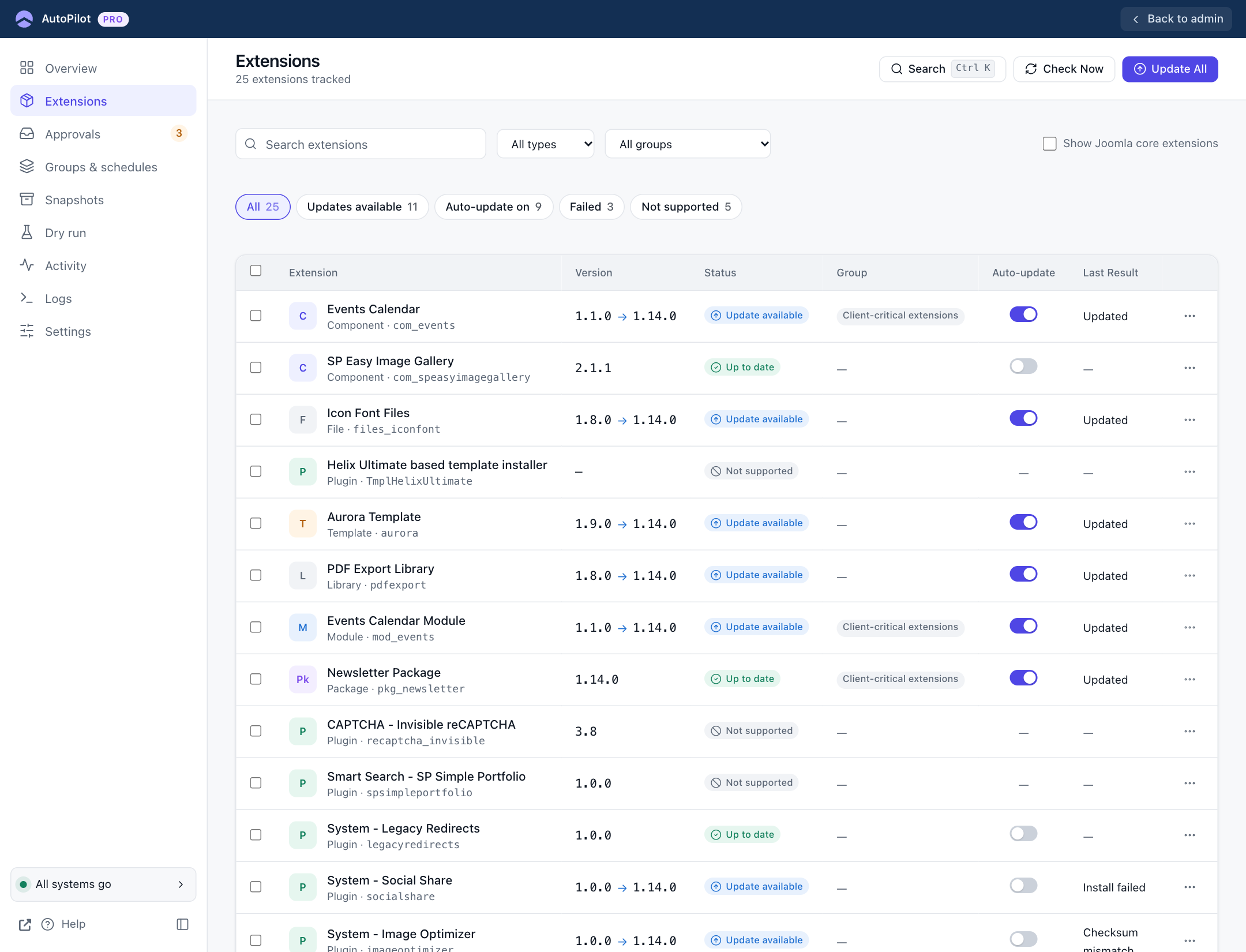
Filter by updates, failures or type, and search by name.
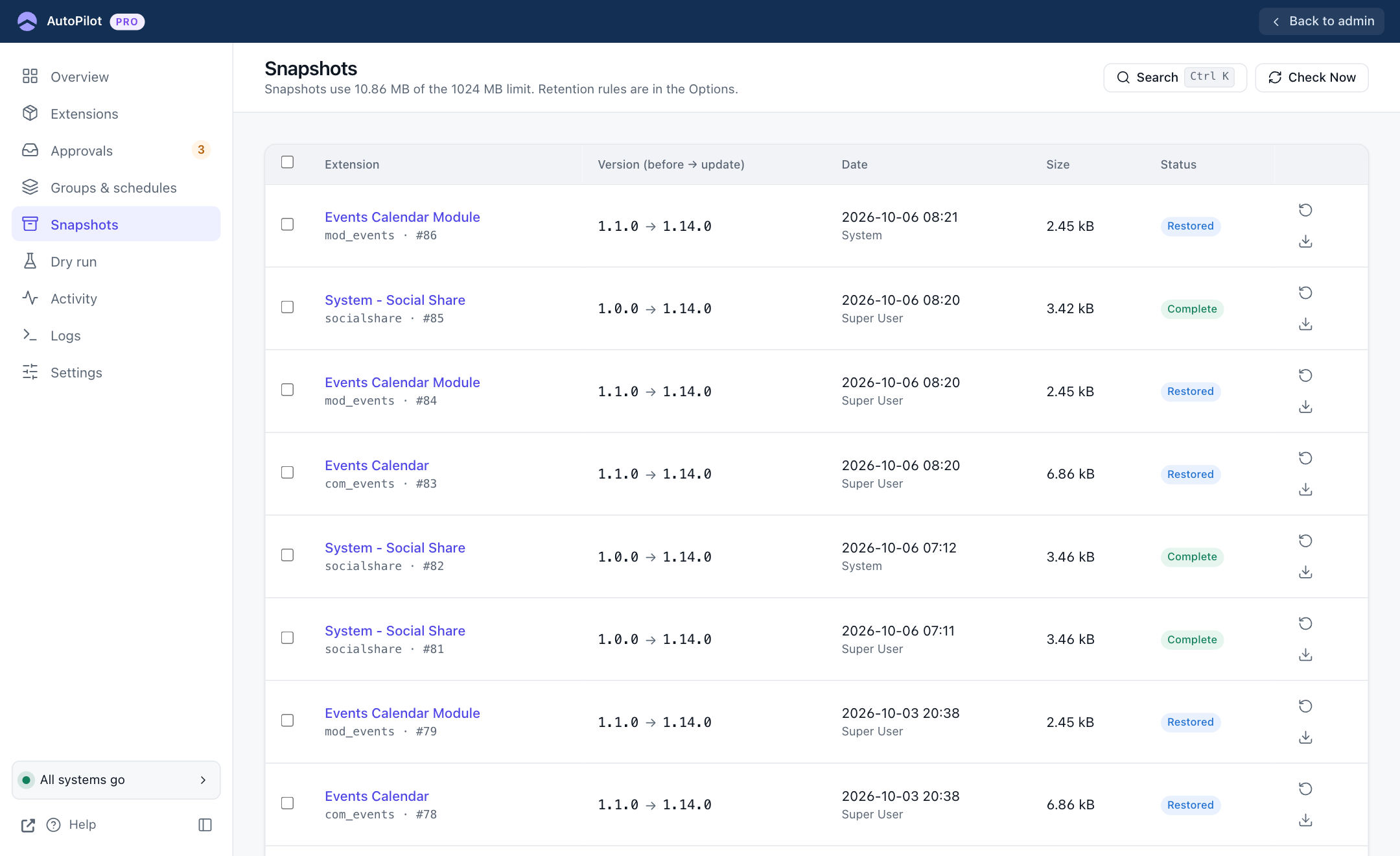
Snapshot before every update
Files and database tables are saved first. No snapshot, no install.
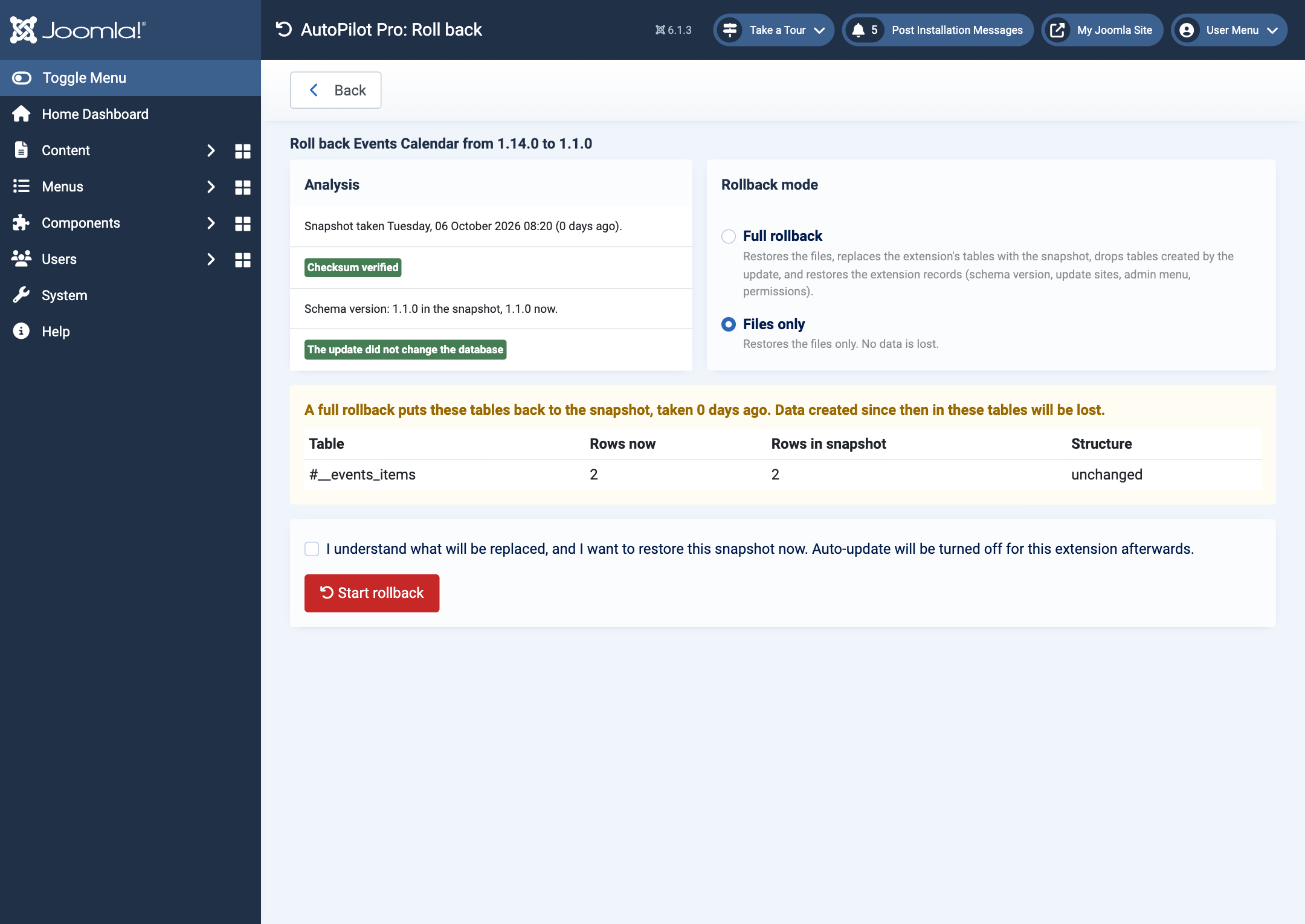
Rollback in two clicks
Full, or files only when the database did not change.
Checks after every update
Extension enabled, version right, homepage and administrator load without a PHP error.
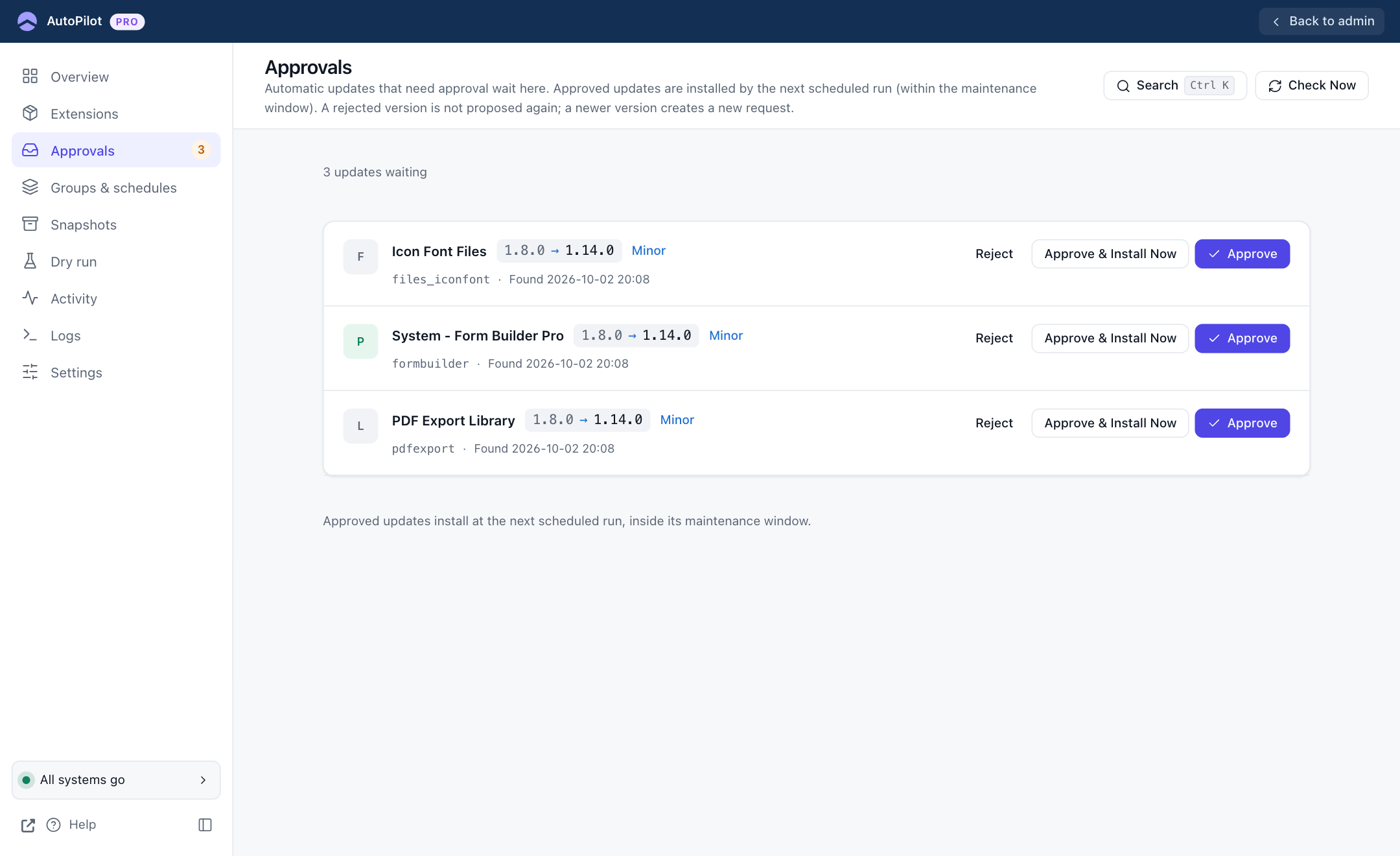
Approvals
Hold updates until a person approves them, or reject a version.
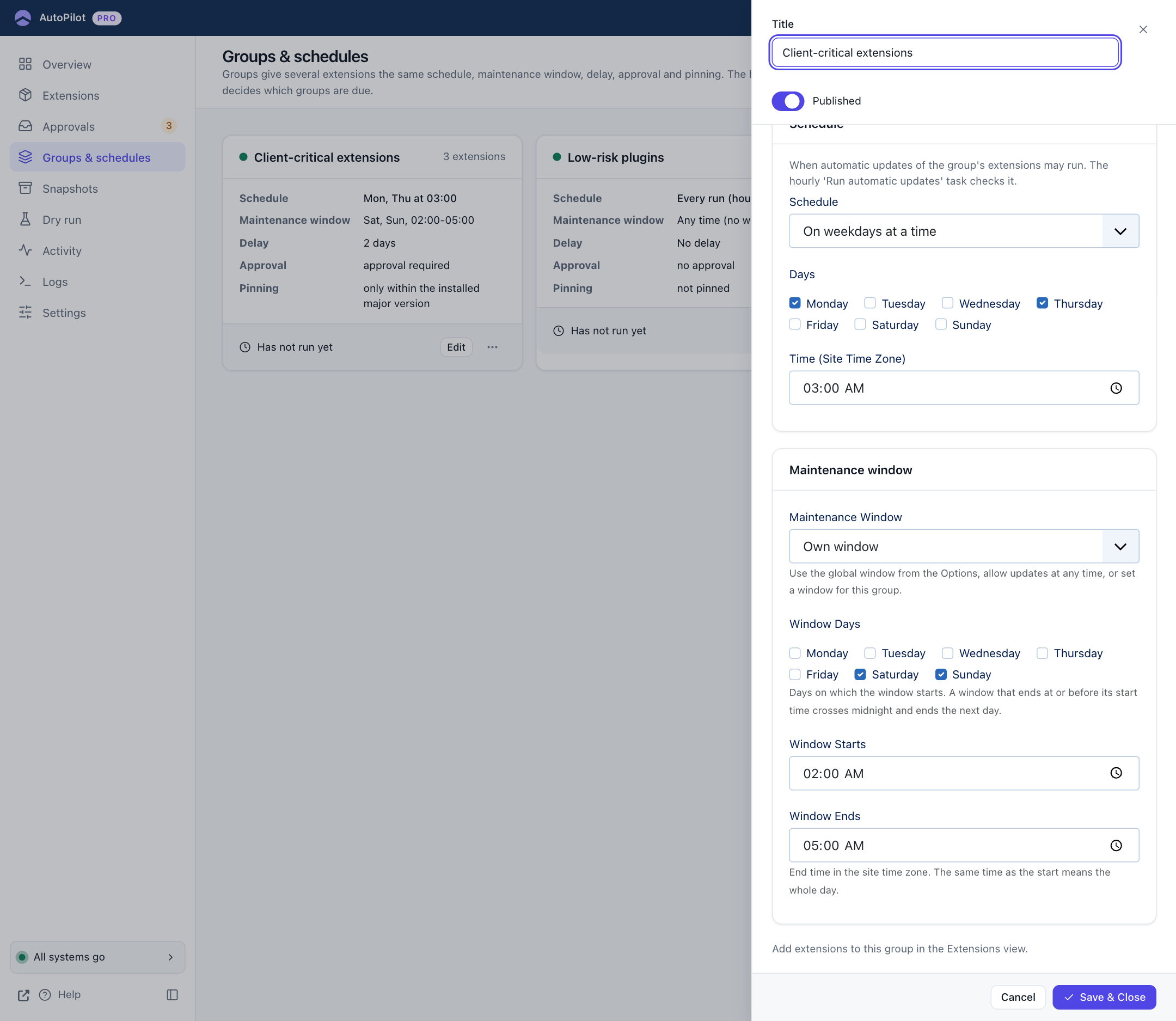
Groups and schedules
Give several extensions the same schedule and rules.
Maintenance windows
Allow updates only during the hours you choose.
Version pins and delays
Stay within a major version, or wait some days after a release.
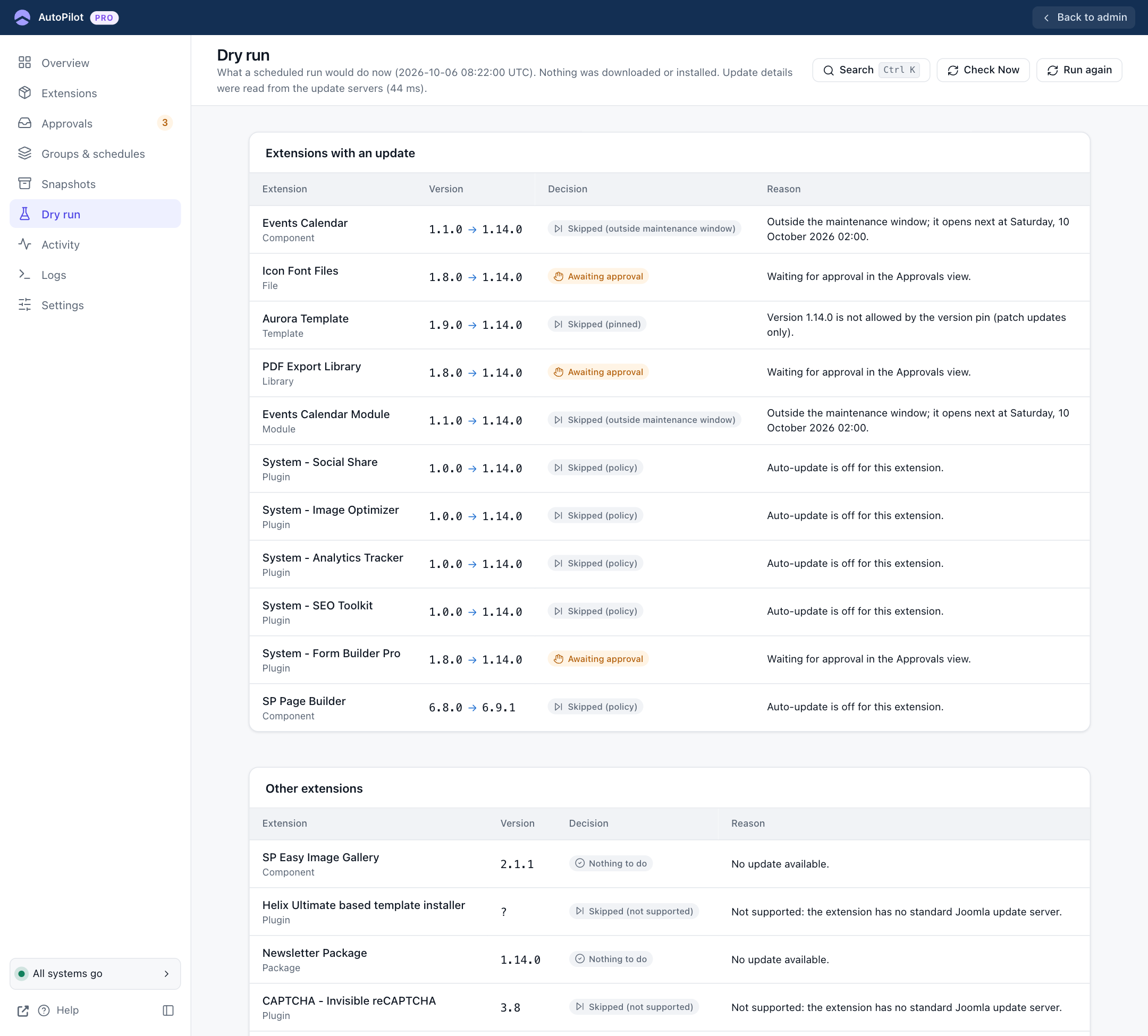
Dry run
See what the next run would do, and why, without installing anything.
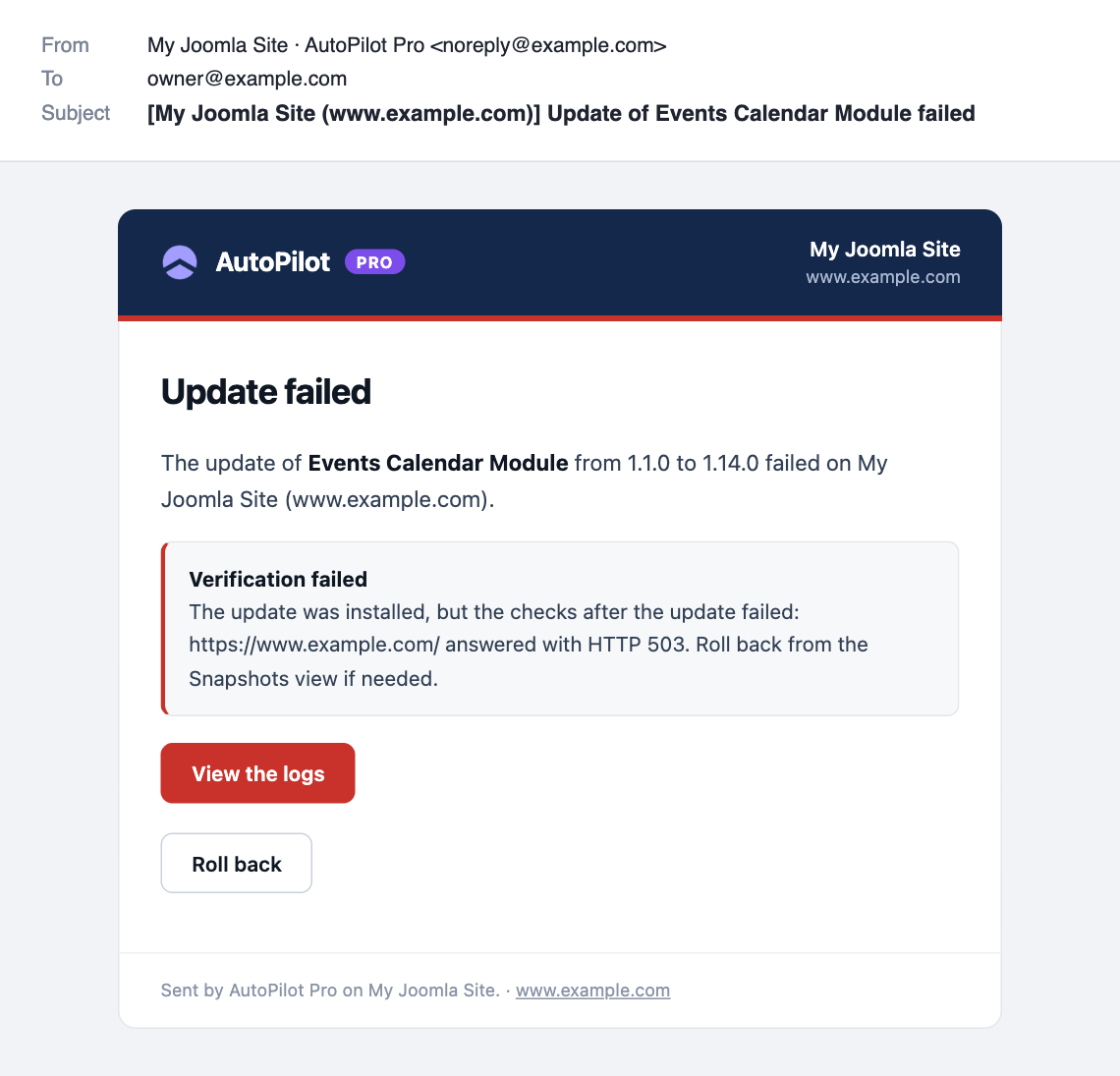
Email notifications
Failures, run reports, approvals, rollbacks and a weekly digest.
Emergency recovery
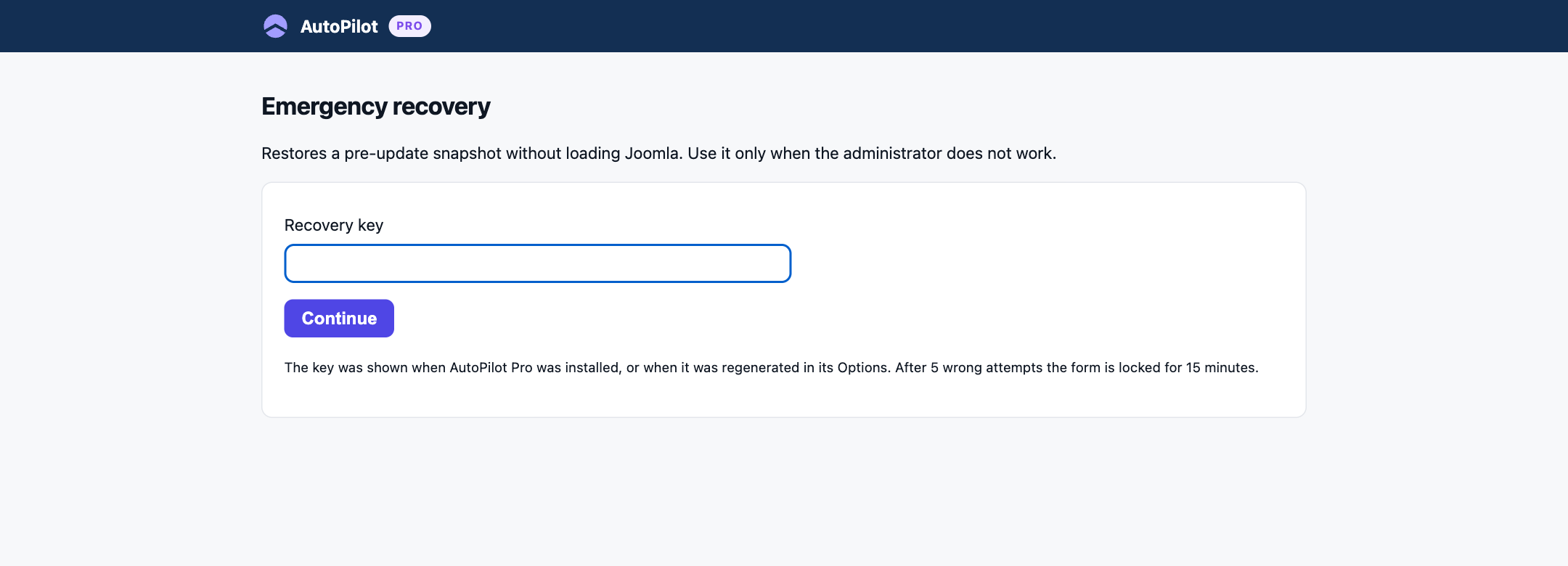
Restore a snapshot even when the Joomla administrator does not load.
Logs
A step-by-step technical record of every run, for when you need the detail.
Command line
List snapshots and roll back from the server's shell.
Every update has a way back.
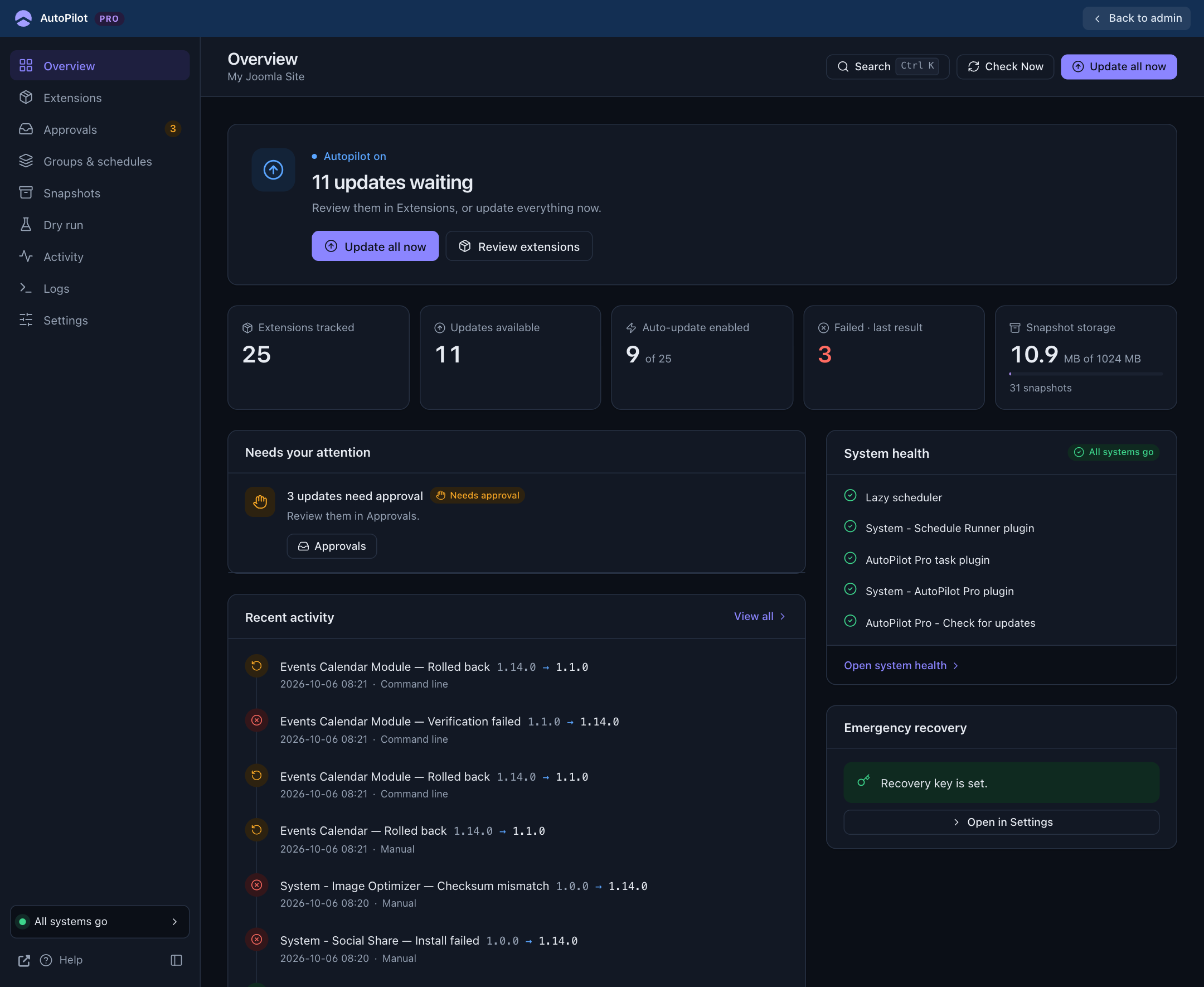
Before anything is installed, AutoPilot Pro saves the extension's files, its database tables and its Joomla records. After the update it checks the site. If a check fails, the Overview turns red, you get an email, and a button takes you to the rollback.
- A snapshot per update, kept by the retention rules you set
- Full rollback, or files only when the database did not change
- You decide: AutoPilot never rolls your data back by itself
- An emergency recovery page with a recovery key, for when the administrator itself is down
Updates on your terms.
Decide which extensions update, when, and how far. Rules can apply to everything, to a group or to one extension. Updating by hand always stays possible.
- Approve, approve and install now, or reject
- Weekly maintenance windows in your site's time zone
- Groups with their own schedule: every few hours or days, or on set weekdays
- Pin an extension to a major version, or wait some days after a release
- Dry run shows the rule and the reason for every extension
Know what happened, on every site.
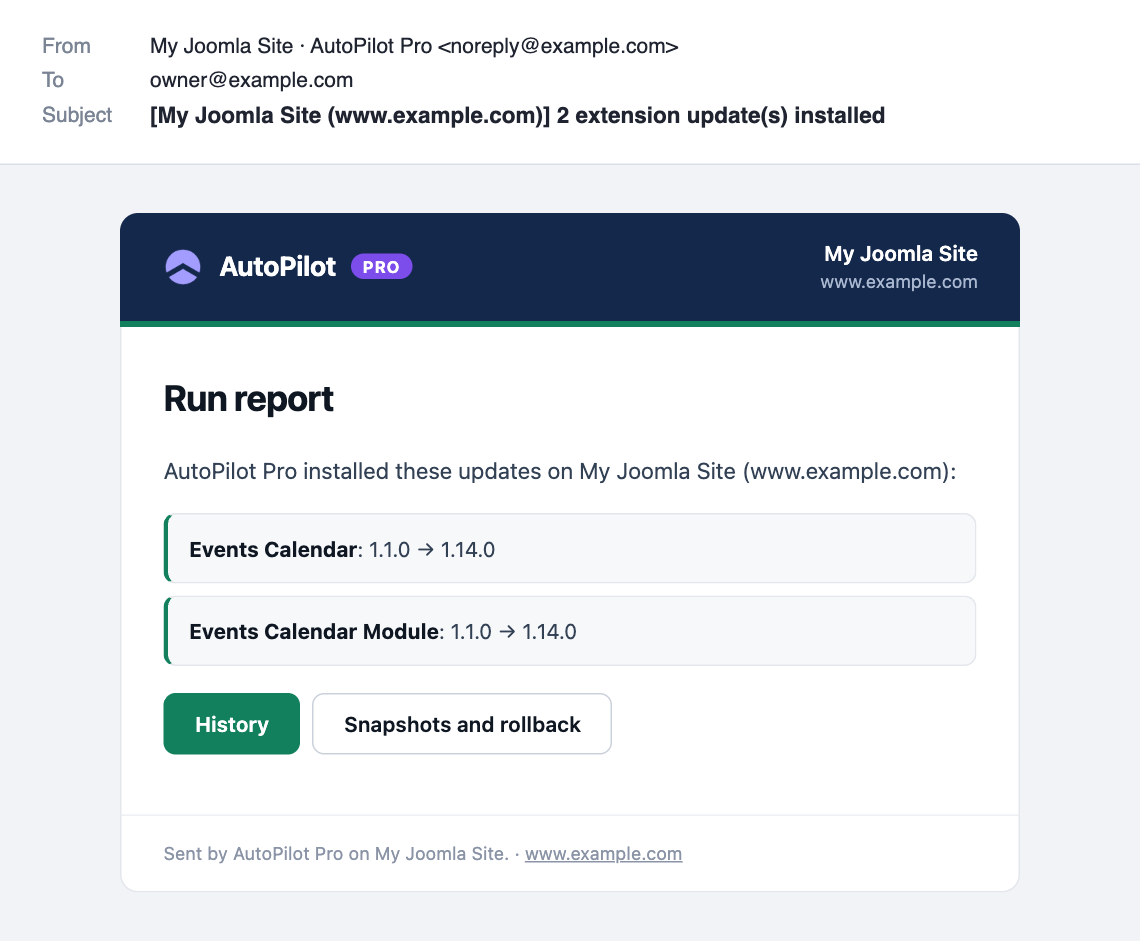
Every email names the site it comes from, in the subject and in the sender, so ten sites never blur together. Each administrator gets it in their own language.
At home in your Joomla.
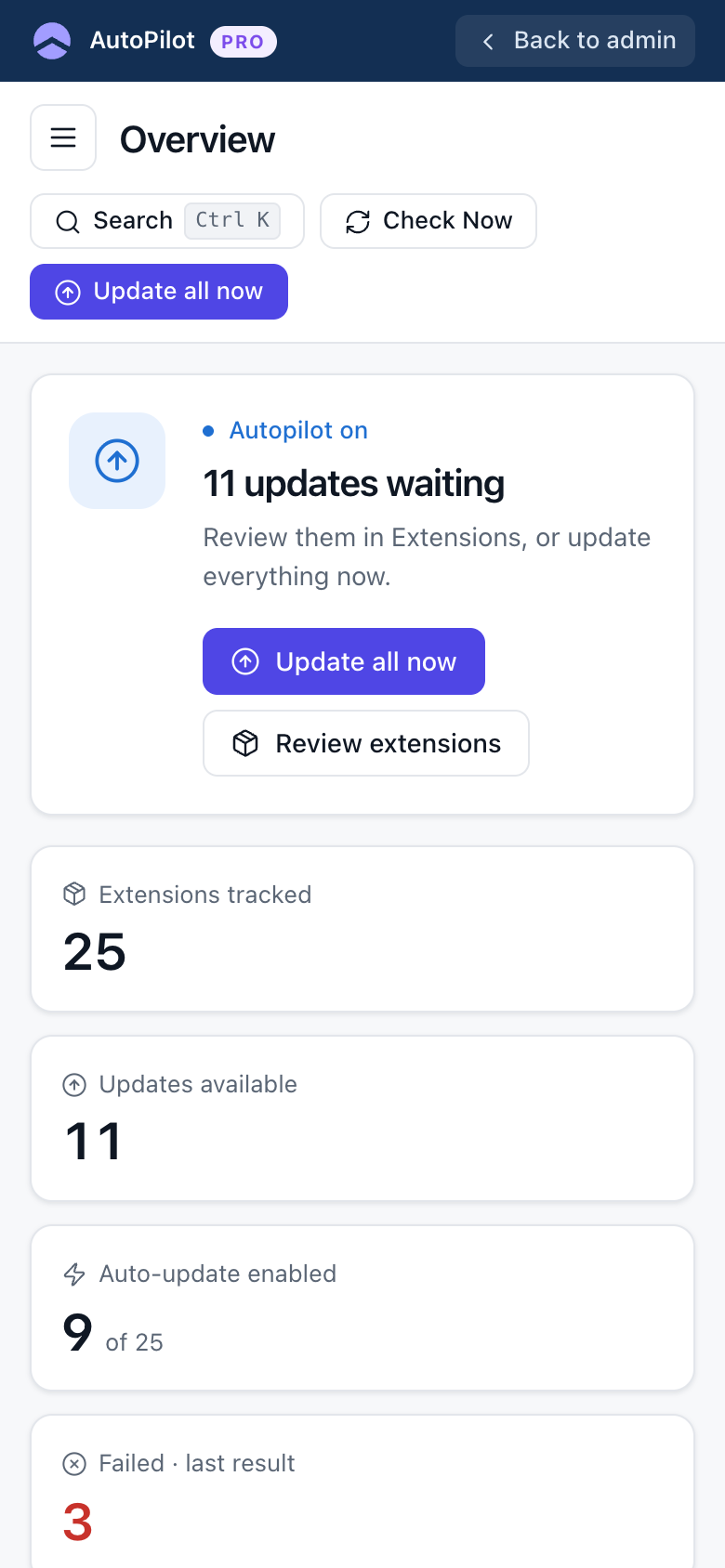
AutoPilot has its own clean screens inside the Joomla administrator. It follows your light or dark theme and works on a phone.
Free or Pro?
Start with Free. Move to Pro when you want the safety net.
The free edition does not take a backup before an update and cannot undo one. Keep making regular site backups.
Start free. Upgrade when you need more.
AutoPilot Free keeps your extensions up to date. If you want snapshots, rollback and control, choose a Pro plan.

Free forever
Automatic extension updates on a schedule.
- Auto-update switch per extension
- Runs on Joomla's Scheduled Tasks
- Update by hand with live progress
- History and health check
- Joomla 4.4, 5 and 6

Same features on every plan. Choose by number of sites.
- Every Pro feature
- 1 year of updates
- 1 year of priority ticket support
Personal
1 website
Business
Up to 5 websites
Agency
Unlimited websites
AutoPilot is GPL. Your subscription gives you downloads, updates and support. If it ends, AutoPilot keeps working; only its own updates stop. Moving from Free to Pro keeps your settings, switches and history.
Up and running in three steps
Install
Upload the ZIP under System, Install, Extensions. AutoPilot sets up its scheduled tasks itself.
Switch on auto-update
Open AutoPilot and turn on the extensions you want updated.
Let it run
Updates install in the background. The Overview shows what happened.
On a quiet site, Joomla starts scheduled tasks only when somebody visits. Joomla's Web Cron makes them run on time; the documentation shows the setup step by step.
Works with your Joomla.
English is included. Free language packs for German, French, Italian and Spanish translate the screens and the emails.
Questions
About Free, Pro, safety and compatibility.
Yes. It is GPL, has no time limit and needs no account or licence key.

Put your Joomla updates on autopilot.
Start free today. Add the safety net when you are ready.
