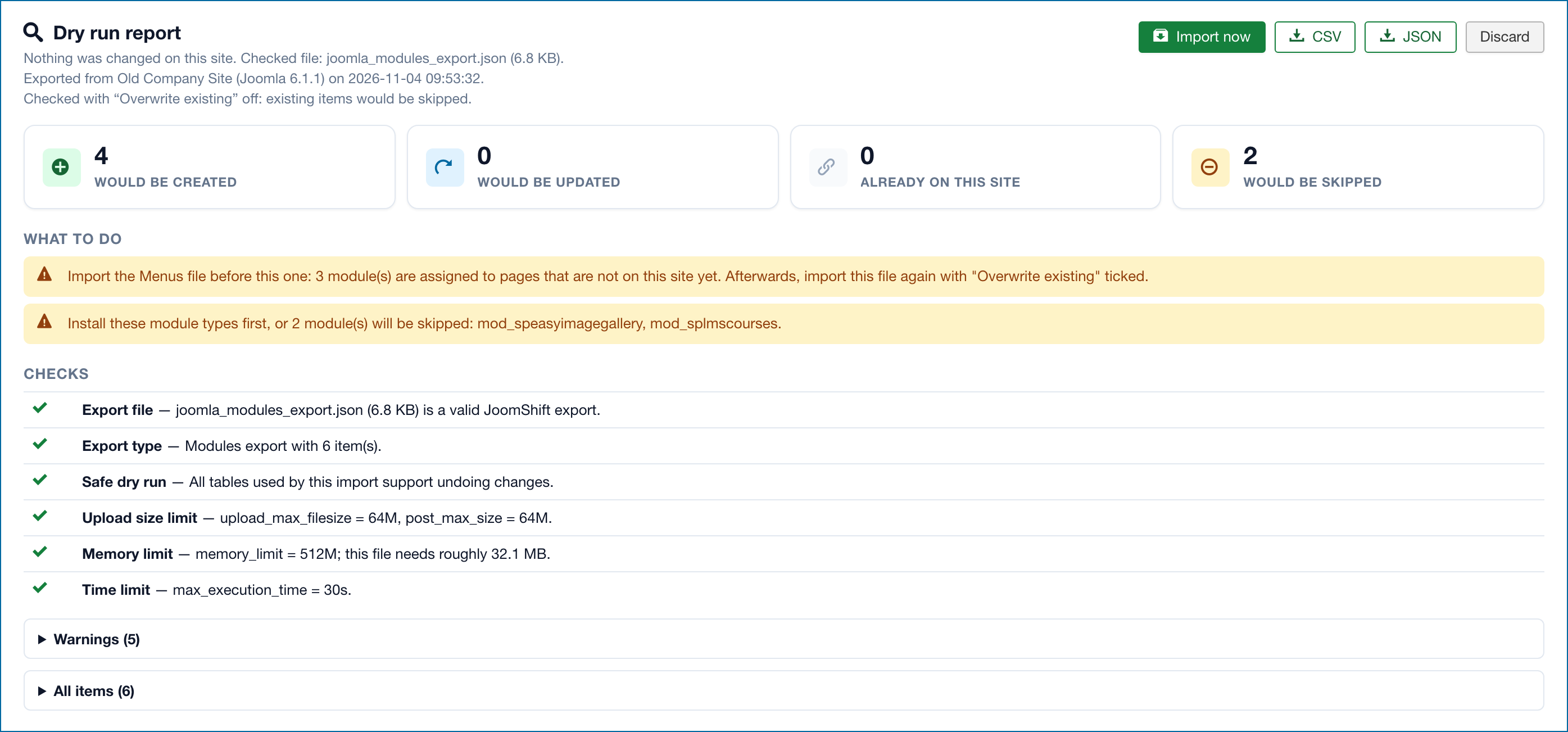
Dry run
Check an import file against your site before importing: the dry run report, its advice and checks, and Import now.
A dry run checks an export file against your site and shows exactly what an import would do — without changing anything. JoomShift runs the real import inside a database transaction and then undoes it, so the report always matches what a real import does.
Running a dry run
- Open the tab for the kind of file you have and click Import.
- Add the file and choose Overwrite existing the way you would for the real import.
- Click Dry run. The page reloads with the report at the top.
The report
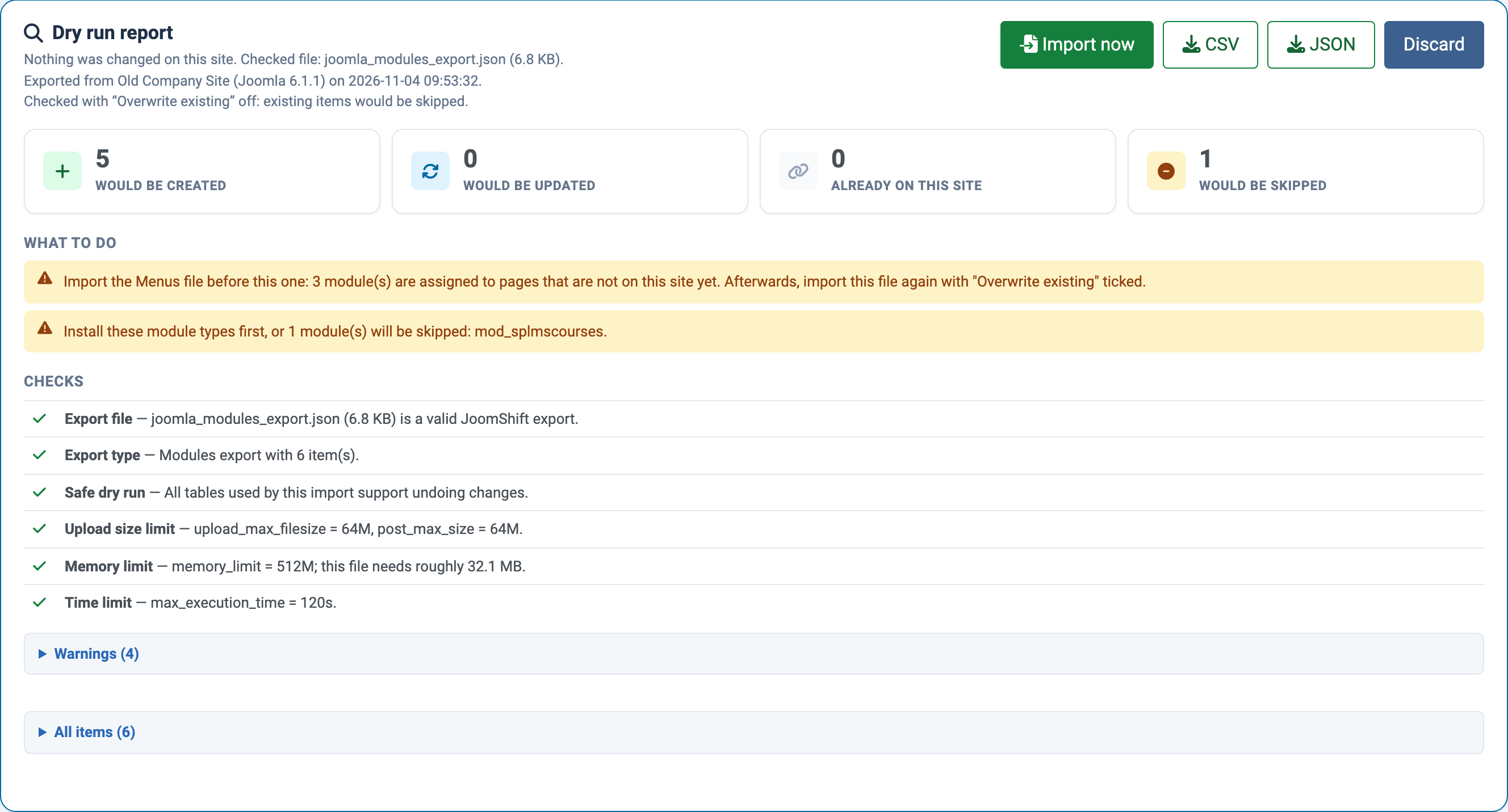
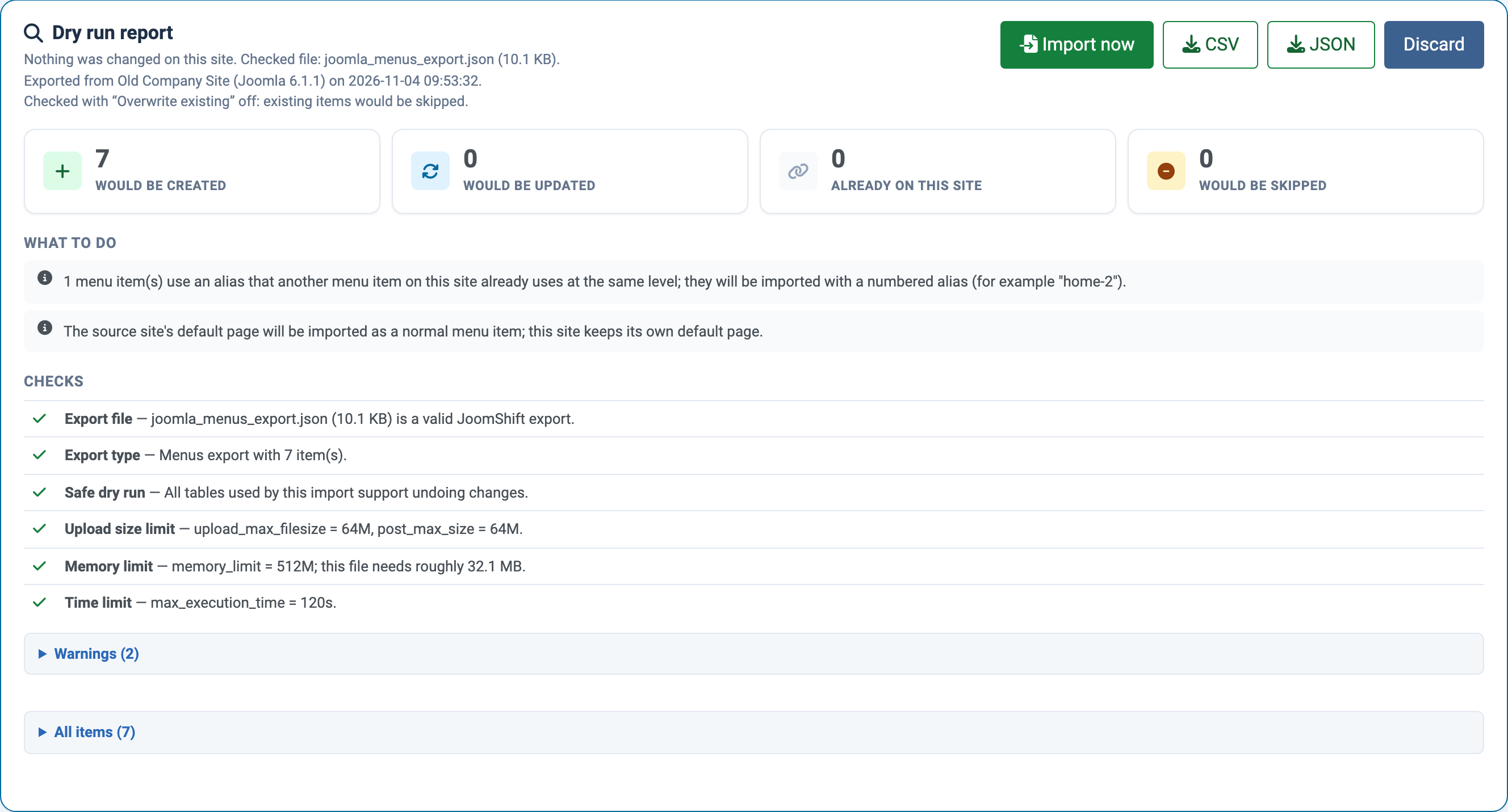
- Header — the file, the site it was exported from with its Joomla version and date, and whether Overwrite existing was on.
- Summary — how many items would be created, updated, are already on the site, or would be skipped.
- What to do — concrete advice, most important first: which file to import first, which module types or components to install, Super User accounts that would be skipped, items that already exist, and more.
- Checks — the file itself, the export type, whether the dry run is safe on this database, upload size, memory and time limits, ZIP support, the image folder and required components.
- Media — for article and contact files: images that would be added, images that would replace a different file already on the site, unchanged images and images that would be blocked.
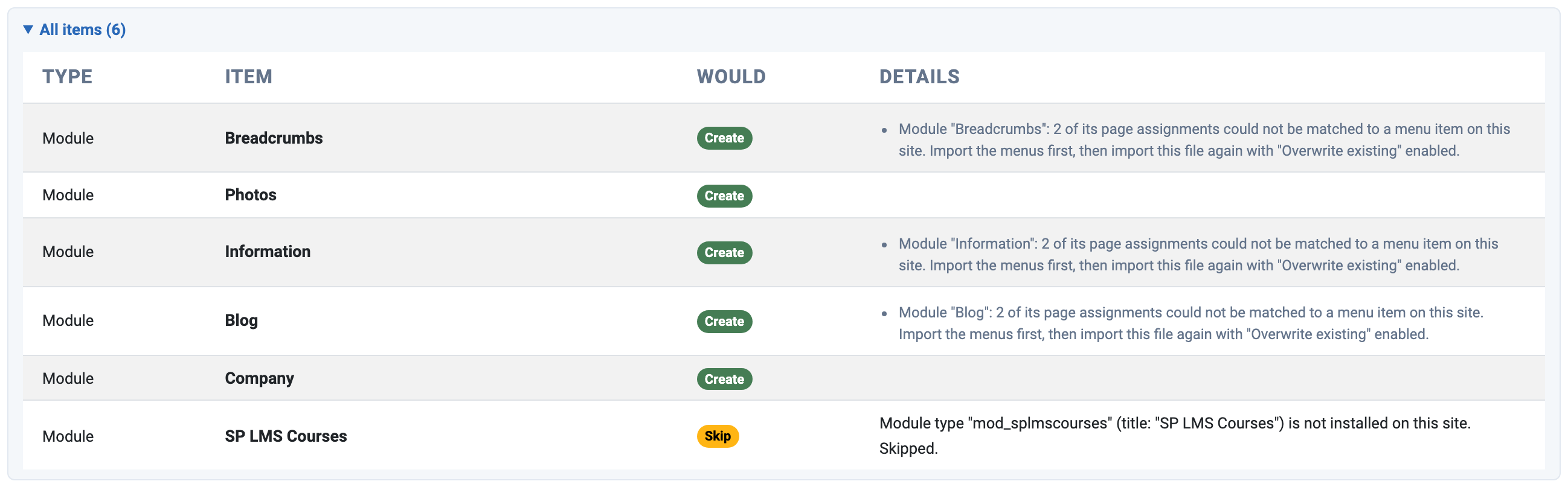
- Warnings and All items — open these for every warning and an item-by-item list with the planned action and the reason.
Acting on the advice
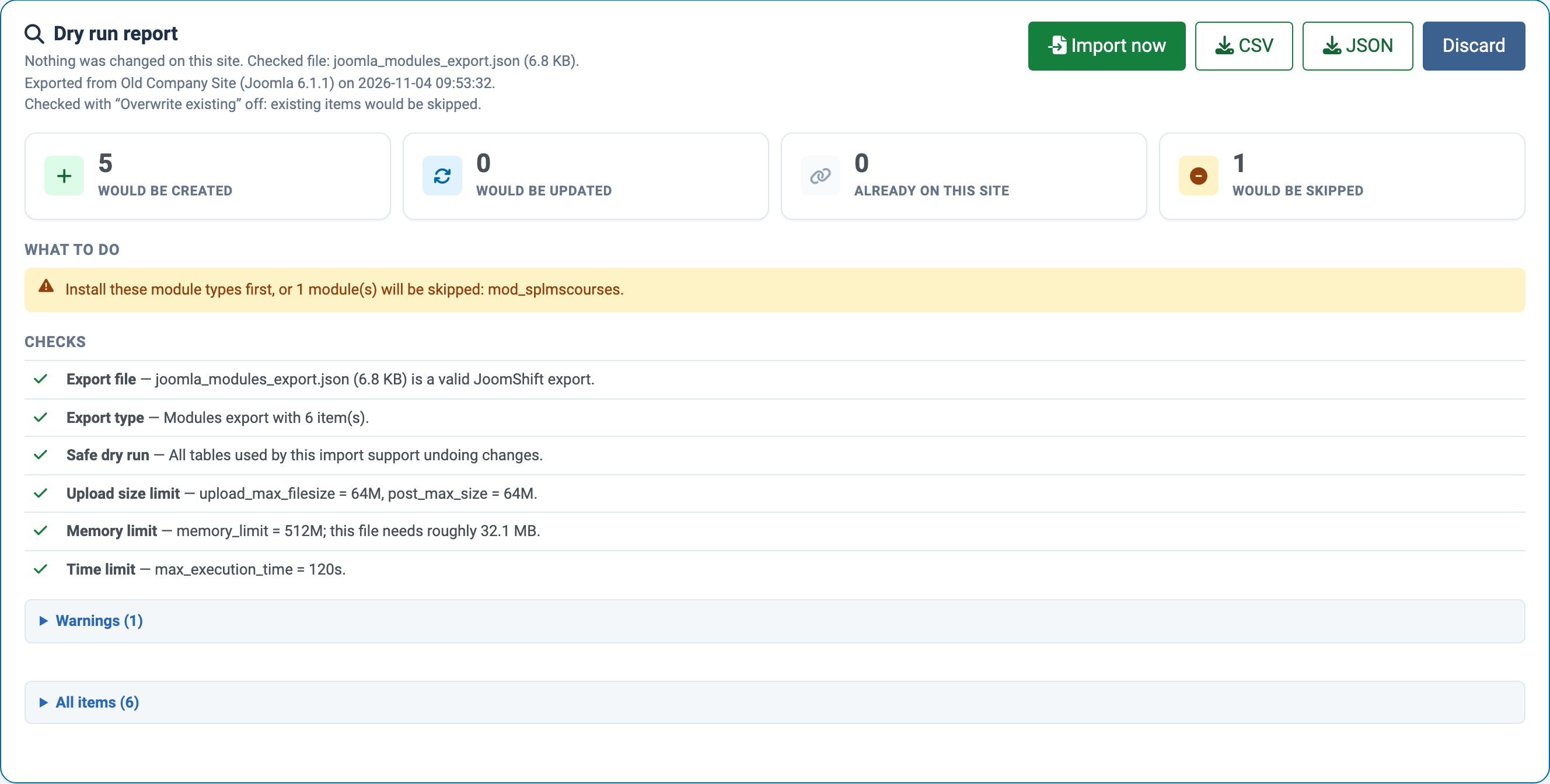
The report above was run on a modules file before the menus were imported. After importing the menus file, the same modules file only reports the module type that is not installed:
A menus dry run also explains changes JoomShift will make, such as an alias that will be numbered because it is already used on the site:
After the dry run
- Import now imports the same file with the same options — no need to upload it again.
- CSV or JSON downloads the report, for example to share with a client or keep with your migration notes.
- Discard throws the file and report away.
The uploaded file is kept privately for up to one hour; after that, upload it again.
When a dry run is not possible
A dry run is refused, with the reason shown under Checks, when the file is not a JoomShift export, when it belongs to another tab (the report says which), or when a table it would change uses the MyISAM storage engine, which cannot undo changes.
The J3 Edition shows the same report: