

The Module Tab — Weather Data
The Weather Data fields and Joomla's standard module fields on the module edit screen.
This is the tab you land on after creating a new module, or when you open an existing one for editing. Joomla merges the module's own Weather Data fields directly into this tab, above the framework's standard module settings — there is no separate "Weather Data" tab to look for.
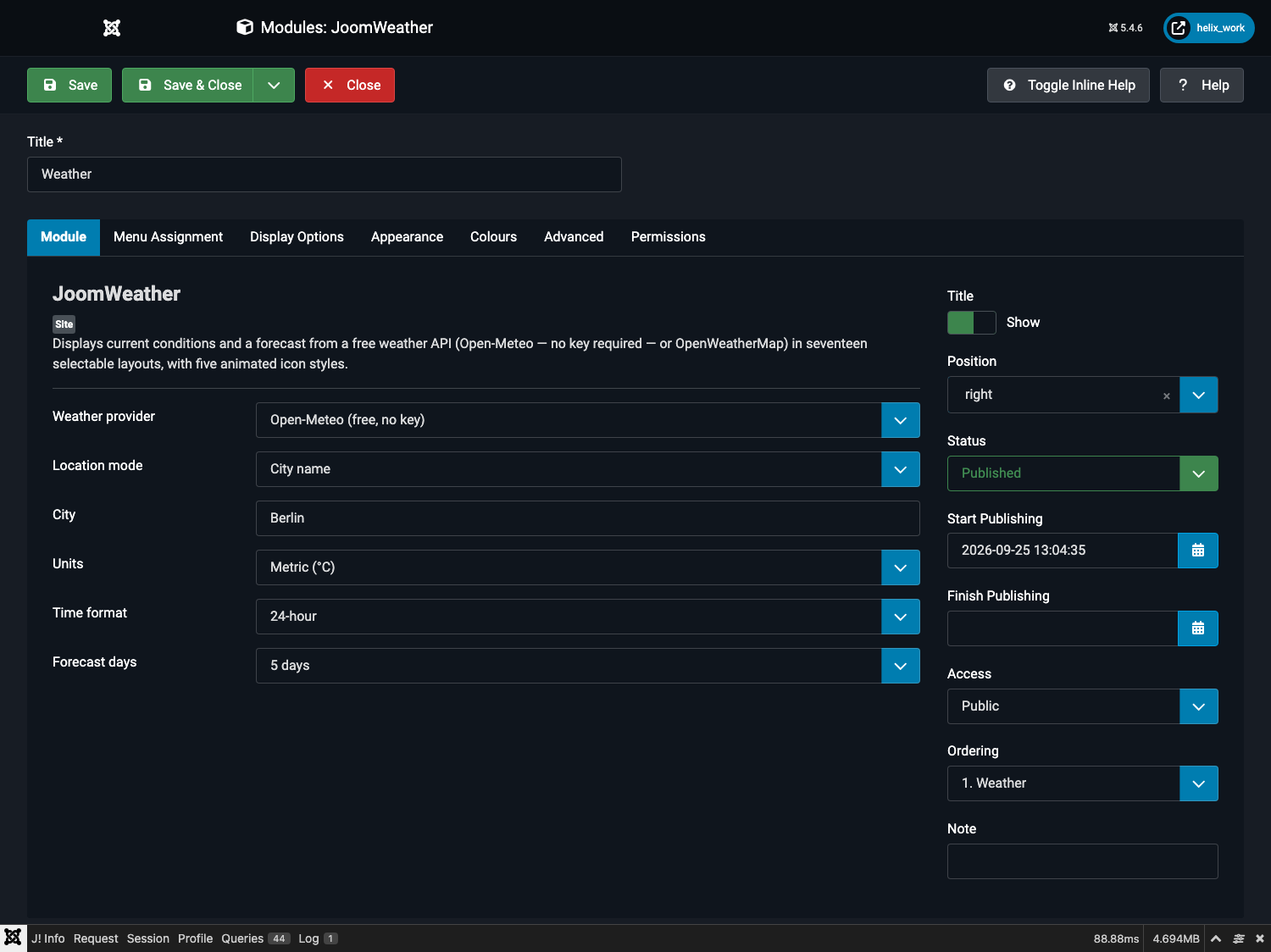
On Joomla 5/6's default admin theme, the two field groups render side by side in one two-column view rather than stacked — the Weather Data fields on the left, Joomla's own standard module fields on the right, as shown above.
Weather Data fields
| Field | Type | Default | What it does |
|---|---|---|---|
| Weather provider | Dropdown | Open-Meteo (free, no key) | Chooses the data source. See Choosing a Weather Provider for the trade-offs. |
| OpenWeatherMap API key | Text | (empty) | Only shown when the provider above is set to OpenWeatherMap. Paste your free key here. |
| Location mode | Dropdown | City name | Either search by city name, or pin an exact latitude/longitude. |
| City | Text | London |
Only shown when Location mode is "City name". A city to search for, e.g. Berlin or Austin, US. A two-letter country code after a comma is passed to the geocoder as a filter, so Birmingham, GB and Birmingham, US resolve to two different cities. |
| Latitude | Number | 51.5072 |
Only shown when Location mode is "Coordinates". Decimal degrees, −90 to 90. |
| Longitude | Number | -0.1276 |
Only shown when Location mode is "Coordinates". Decimal degrees, −180 to 180. |
| Units | Dropdown | Metric (°C) | Metric shows °C, km/h, hPa, mm. Imperial shows °F, mph, inHg, in. |
| Time format | Dropdown | 24-hour | Applies to the "updated" time and sunrise/sunset, where the layout shows them. |
| Forecast days | Dropdown | 3 days | 0 to 7 days. The count starts tomorrow — see How the Forecast Window Works. OpenWeatherMap's free tier reaches 4 days ahead; Open-Meteo reaches 7. |
Standard module fields
Below the Weather Data fields, the same tab carries Joomla's own core module settings — these are identical for every module type, not specific to JoomWeather:
| Field | Notes |
|---|---|
| Title | Shown as the module's heading if Show Title is on. |
| Show Title | Toggles the frontend heading. Several JoomWeather layouts (Minimal, the Compact Nav variants) already carry their own compact heading and look best with this switched off. |
| Position | The template position to render into. Must be a position your active template defines and displays. |
| Status | Published / Unpublished / Archived / Trashed. |
| Start Publishing / Finish Publishing | Optional scheduling window. |
| Access | Viewing-access level (Public, Registered, etc.). |
| Ordering | Stacking order within the same position, relative to other modules. |
| Note | A private admin-only note; never shown on the frontend. |