

Challenge Settings
Every field on the Challenge settings tab: difficulty, operations, number ranges, number format, and lifetime.
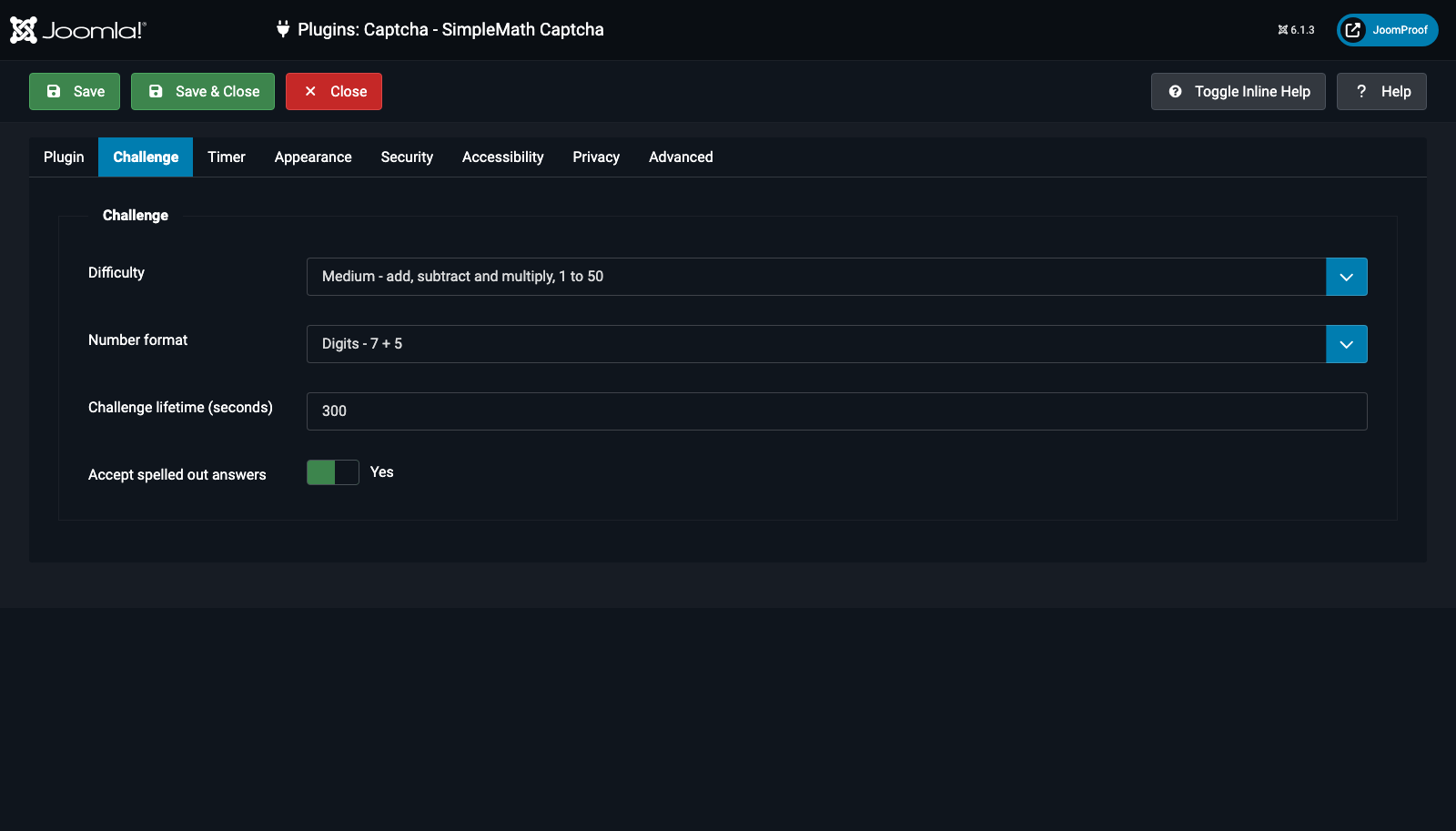
| Field | Default | What it does |
|---|---|---|
Difficulty (difficulty) |
Medium | Easy: add/subtract, 1–20. Medium: add/subtract/multiply, 1–50. Hard: all four operations, 1–100. Custom: set every detail yourself using the four fields below. Every difficulty always produces a whole, non-negative answer. |
Operations (operations) — conditional: Difficulty = Custom |
Add, Subtract | Which of the four operations may be chosen for a given sum. Multiple selections allowed; one is picked at random each time. |
Lowest number (minnumber) — conditional: Difficulty = Custom |
1 | Smallest number allowed to appear in a sum. Range 0–999. |
Highest number (maxnumber) — conditional: Difficulty = Custom |
50 | Largest number allowed in an addition or subtraction. Range 2–1000. |
Highest factor (factormax) — conditional: Difficulty = Custom |
10 | Largest number used in a multiplication or division, kept separate from the general range on purpose — most people can multiply by 9 in their head, not by 87. Range 2–50. |
Number format (number_format) |
Digits | Digits ("7 + 5"), Words ("seven + five"), or Mixed ("seven + 5" — exactly one operand spelled out at random). Words make life harder for a scraping script at the cost of asking a little more of the visitor. |
Challenge lifetime (seconds) (expiration) |
300 | How long a challenge stays valid when the Timer is switched off. When the Timer is on, its own duration is what actually governs expiry instead. Range 10–3600. |
Accept spelled out answers (accept_words) |
Yes | Lets a visitor type "twelve" as well as "12", regardless of how the question itself is displayed. |