

Turning It On For a Form
How to make a Joomla form actually use SimpleMath Captcha: site-wide, per component, or per form field.
Joomla needs to be told which captcha to use. There are two ways to do this, and you'll likely want the first one:
Site-wide default — go to System → Global Configuration, open the Site tab, and set Default Captcha to Captcha - SimpleMath Captcha. Every form on the site that doesn't specify its own captcha (contact forms, the registration form, the "forgot password" form, third-party extensions that ask Joomla for "whatever the default captcha is") will now use it.
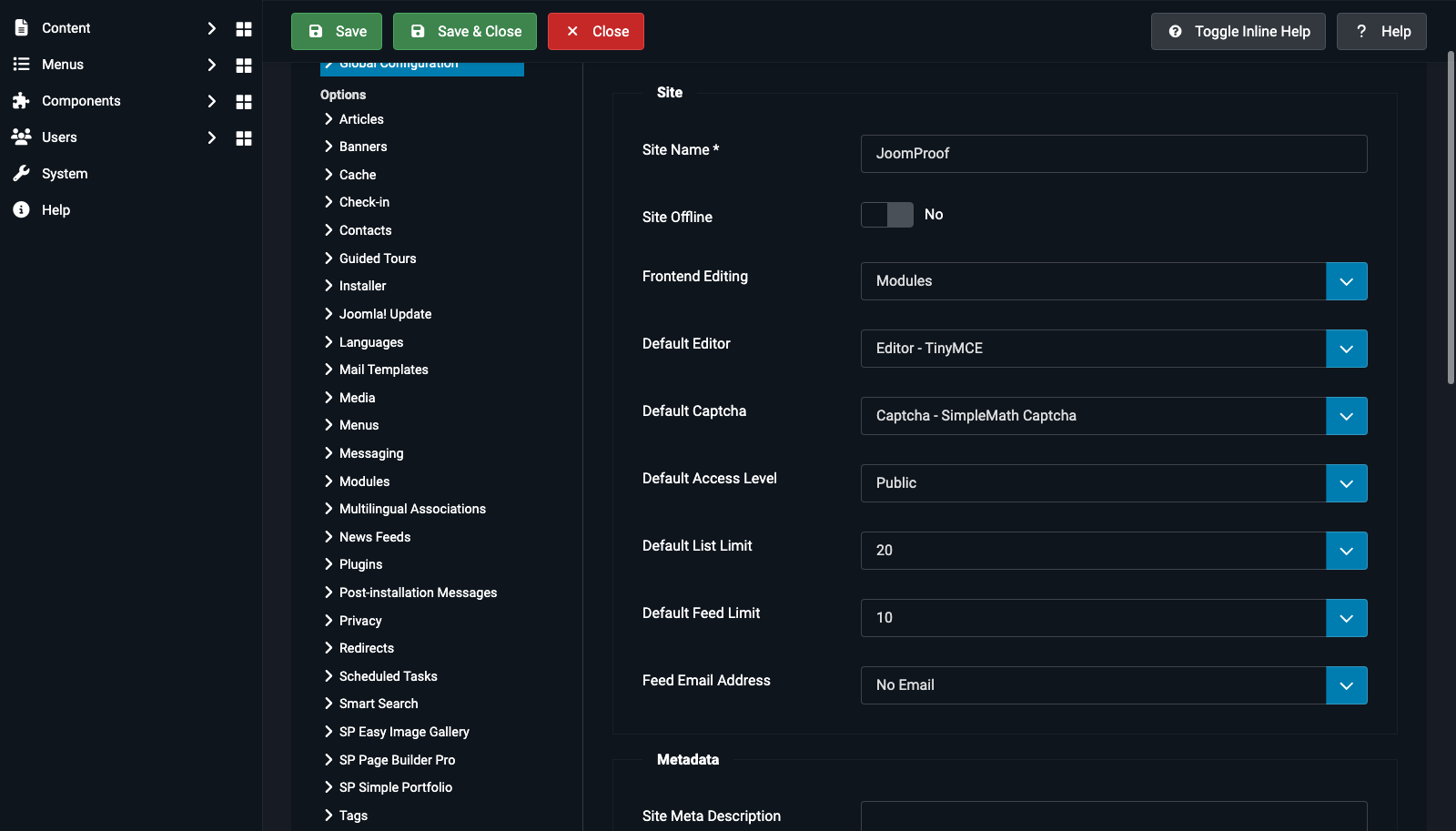
Per component — some components have their own captcha setting that overrides the site default. For example, Users → Options has its own Captcha dropdown for the registration and login forms specifically; Contacts → Options has one for the contact form. Set these the same way if you want a different captcha (or no captcha) for just that one component.
Per form field — if you're building a custom form, add a field of type="captcha" directly and name the plugin:
<field name="captcha" type="captcha" plugin="simplemathcaptcha" validate="captcha" label="JGLOBAL_CAPTCHA" />