

Timer Settings
Every field on the Timer settings tab: duration, style, position, size, colours, and expiry behaviour.
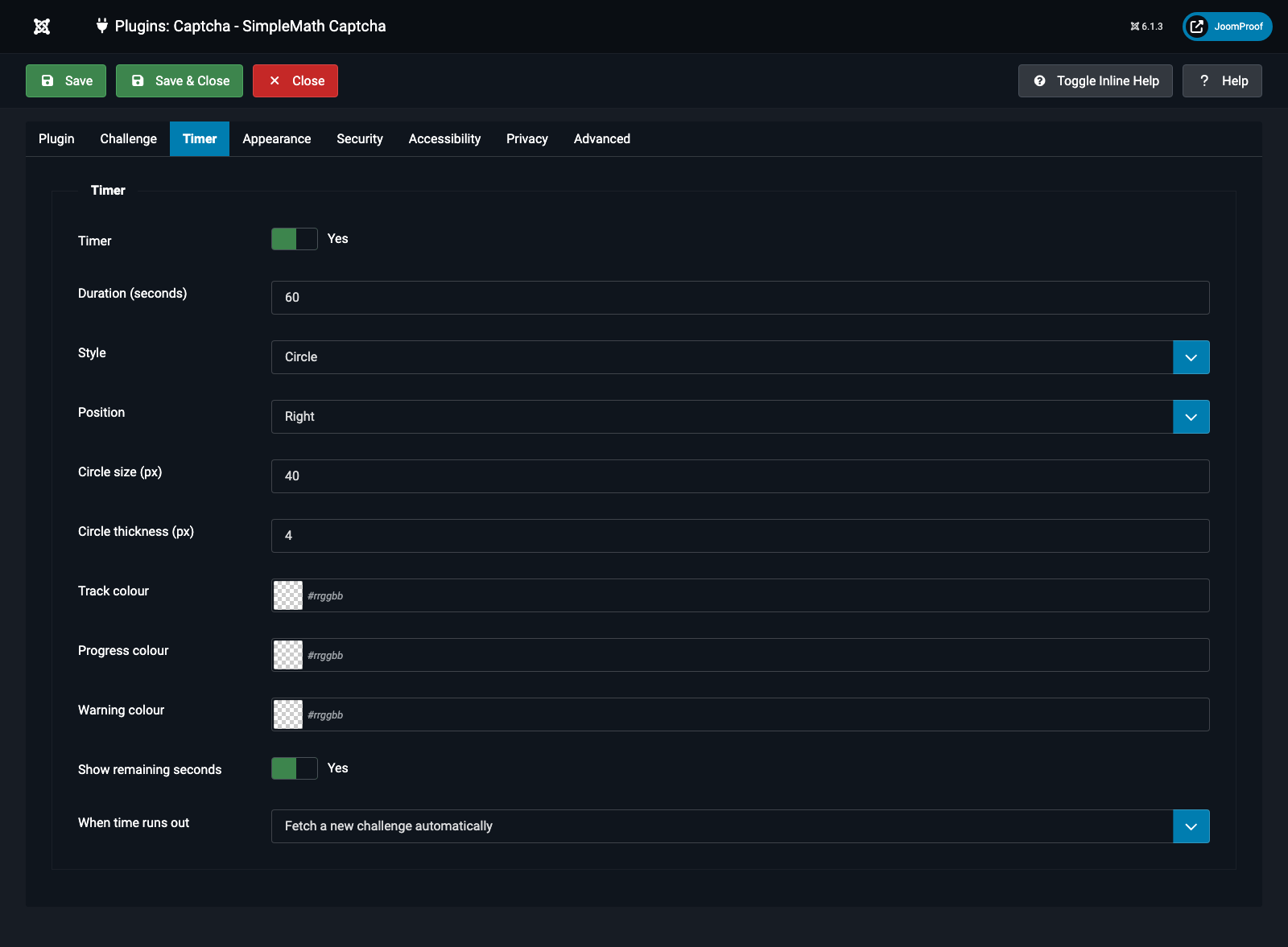
| Field | Default | What it does |
|---|---|---|
Timer (timer_enabled) |
Yes | Turns the visible countdown on or off. The countdown is decorative only — the server enforces the real deadline (expiration, from Challenge Settings) independently of whatever the browser draws. |
Duration (seconds) (timer_duration) — conditional: Timer = Yes |
60 | How long a visitor has to answer once the timer is on. This value becomes the actual server-side expiry too. Range 10–300. |
Style (timer_style) — conditional: Timer = Yes |
Circle | How the countdown is drawn. Seven options, all detailed in the Timer Styles in Detail article: Circle, Pie, Underline, Dots, Equation fill, Ring, Hidden. Ring specifically needs Show refresh button (Appearance tab) switched on, since it draws around that button. |
Position (timer_position) — conditional: Style is Circle, Pie, or Dots |
Right | Which side of the equation the indicator sits on: Left or Right. |
Circle size (px) (timer_size) — conditional: Style is Circle, Pie, or Dots |
40 | Diameter of the circle/pie, or the width of the dot row. Range 20–120. |
Circle thickness (px) (timer_stroke) — conditional: Style = Circle |
4 | How thick the ring itself is drawn. Only meaningful for Circle — Pie is a filled wedge with no separate stroke. Range 1–16. |
Underline thickness (px) (timer_thickness) — conditional: Style = Underline |
4 | How thick the bar under the widget is drawn. Range 1–16. |
Track colour (timer_track_color) — conditional: Timer on, Style ≠ Hidden |
(auto) | The colour of the unfilled part of the ring/pie/bar, or a spent dot. Leave empty to derive it automatically from the page's own text colour. |
Progress colour (timer_progress_color) — conditional: Timer = Yes |
(accent colour) | The colour of the countdown itself while time remains. Leave empty to reuse the Accent colour (Appearance tab). |
Warning colour (timer_warn_color) — conditional: Timer = Yes |
(built-in amber) | The colour the countdown switches to for the final quarter of the time remaining. |
Show remaining seconds (timer_show_seconds) — conditional: Style = Circle |
Yes | Prints the actual number of seconds left inside the circle's hollow centre. Only the Circle style has room for this — Pie and Dots stay purely visual. |
When time runs out (timer_expire_action) — conditional: Timer = Yes |
Fetch automatically | Auto: the widget silently fetches a fresh sum for the visitor. Manual: the widget waits, showing the equation struck through, until the visitor presses the refresh button themselves. |