

Timer Styles in Detail
All seven timer styles explained and shown live: Circle, Pie, Underline, Dots, Equation fill, Ring, Hidden.
All seven styles are pure CSS — no images, no SVG files, no external requests. Each reads the same underlying progress value (0 to 1, ticking down every second), so switching styles never changes the underlying timing behaviour, only how it's drawn.
| Style | How it looks | Notes |
|---|---|---|
| Circle | A ring that empties clockwise, with the remaining seconds optionally printed in its hollow centre. | The only style with room for a number overlay. |
| Pie | A filled wedge that shrinks, like a clock face. | No digits — a filled shape has nowhere to put a number that wouldn't cross a colour boundary. |
| Underline | A thin bar spanning the full width under the whole widget. | Mirrors correctly on right-to-left pages. |
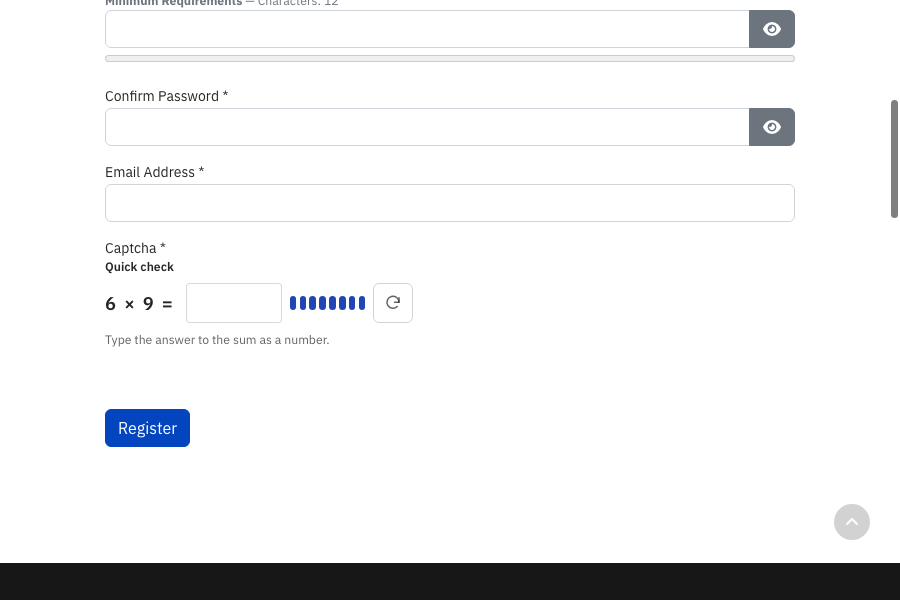
| Dots | A row of eight capsule-shaped segments that go dark one at a time. | Shown below at ~75% time remaining. |
| Equation fill | No separate indicator at all — a tint drains out from behind the sum itself. | Nothing extra is added to the layout. |
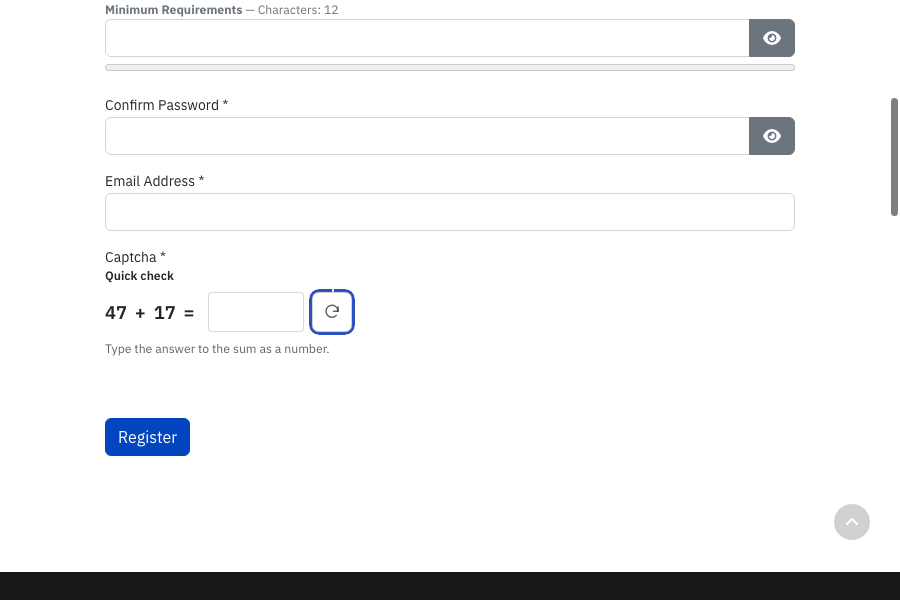
| Ring | A thin ring drawn directly around the refresh button. | Requires Show refresh button to be on — see below. |
| Hidden | The countdown still runs and still expires on schedule; nothing is drawn. | Use when you want the security benefit of a time limit with zero visual footprint. |
Three of the seven, shown live:
Circle (the default) — as seen throughout this documentation, e.g. in the What a Visitor Actually Sees article.
Ring — drawn around the refresh button itself instead of occupying its own space:
Dots — a row of eight segments, here at roughly 6/8 remaining:
A dependency worth knowing about: if you select Ring as the timer style and then separately switch Show refresh button off (Appearance Settings), the countdown draws nothing at all — the same as picking Hidden — since Ring has no indicator of its own to fall back to. The timing itself still works correctly underneath; only the visual cue disappears. The Style field's own description reminds you of this dependency directly in the admin screen.