

Activity
Sidebar → Activity. Everything AutoPilot has done on this site, newest first.
Sidebar → Activity. Everything AutoPilot has done on this site, newest first.
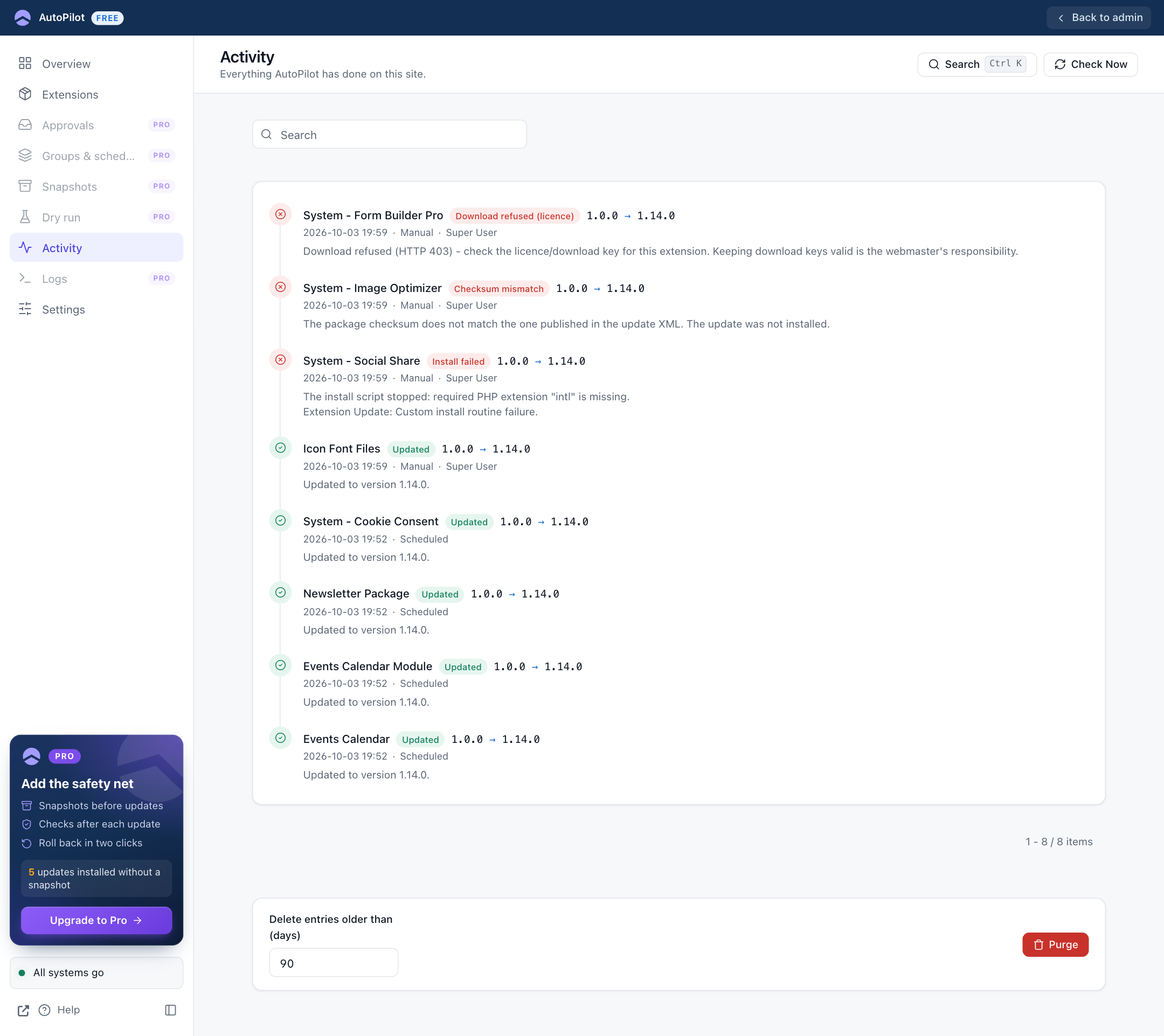
Each entry shows:
- the extension, the result and the version change
- the time, how it was started (Scheduled or Manual) and, for manual updates, who started it
- the message: what happened, in a sentence
Search searches the extension name, the technical name and the message. On the Extensions screen, the activity icon in a row opens this list for that one extension. A "Showing: …" chip above the list tells you it is filtered; Show all next to it returns to the full list. Opening Activity from the sidebar always shows everything.
At the bottom, Delete entries older than (days) and Purge remove old entries by hand (Super Users only). Entries are also removed automatically after the number of days in Settings → Keep History.