

Dry Run
Sidebar → Dry run. The dry run shows what a scheduled run would do right now, for every extension, with the reason.
Sidebar → Dry run. The dry run shows what a scheduled run would do right now, for every extension, with the reason. Nothing is downloaded and nothing is installed.
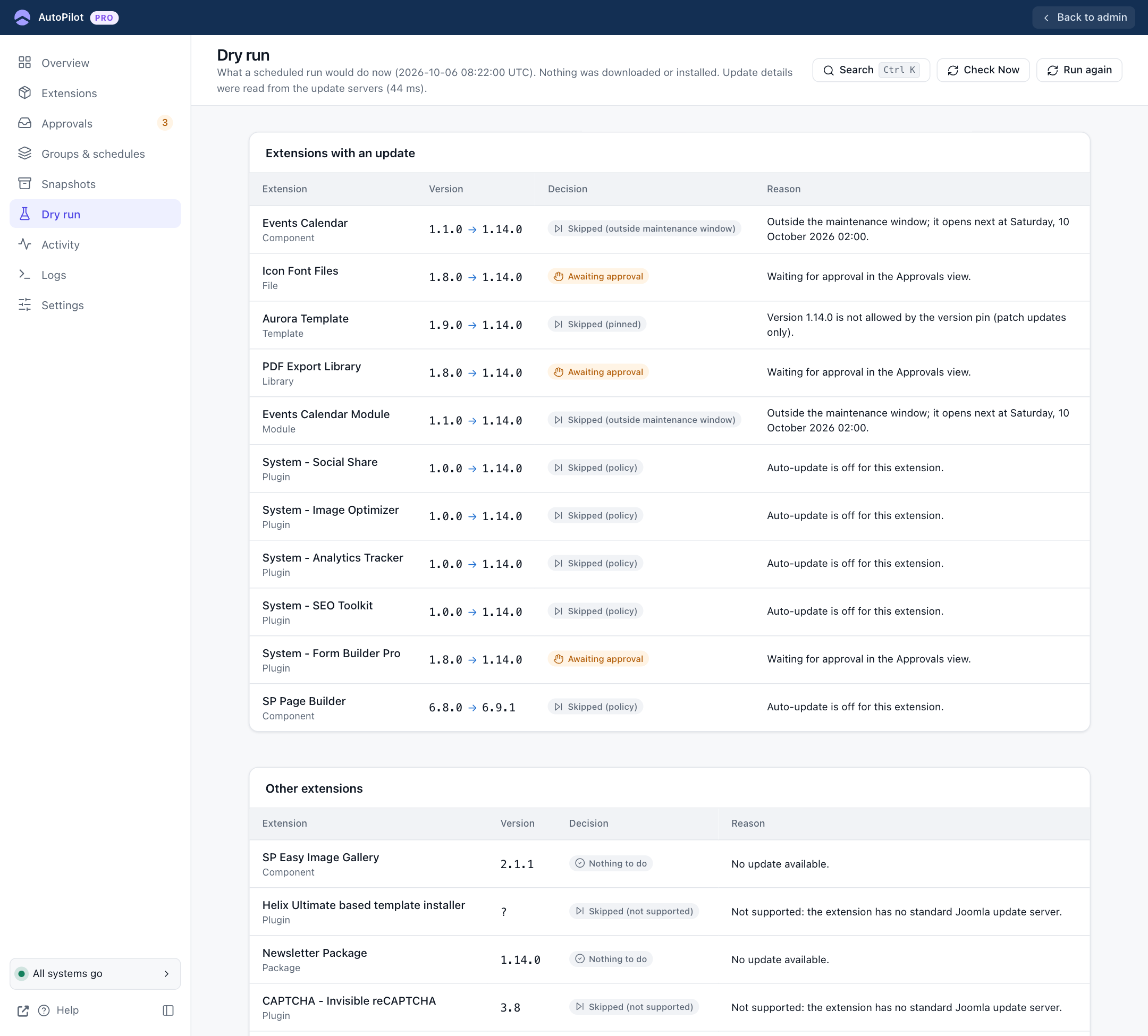
Extensions with an update lists every extension that has a newer version, with a Decision and a Reason:
| Decision | Example reason |
|---|---|
| Would install | "Would be installed now." |
| Not due | "Not due yet; next scheduled after …" |
| Skipped (outside maintenance window) | "Outside the maintenance window; it opens next at Saturday, 10 October 2026 02:00." |
| Skipped (delay) | The delay since the version was found has not passed yet. |
| Skipped (pinned) | "Version 1.14.0 is not allowed by the version pin (patch updates only)." |
| Skipped (incompatible) | The update needs a newer Joomla or PHP version than your site has. |
| Awaiting approval | "Waiting for approval in the Approvals view." |
| Skipped (policy) | "Auto-update is off for this extension." |
| Skipped (failed too often) | "Version 1.14.0 failed 4 times. It is not tried again automatically. …" |
Other extensions lists everything else: Nothing to do (no update available) and Skipped (not supported) (no standard update server).
The buttons:
- Check Now reads the update servers again first.
- Run again repeats the evaluation with the current time and your current rules.
Use the dry run after you change a schedule, a window or a pin, to see the effect before the next real run. It is also the fastest answer to "why was this extension not updated last night?".