

Settings: Snapshots & Retention
Settings: Snapshots & Retention: Snapshot Before Scheduled Updates, Snapshot Before Manual Updates, Keep per Extension, Delete After (Days), Total Size Limit (MB), Warn Above (MB) and more.
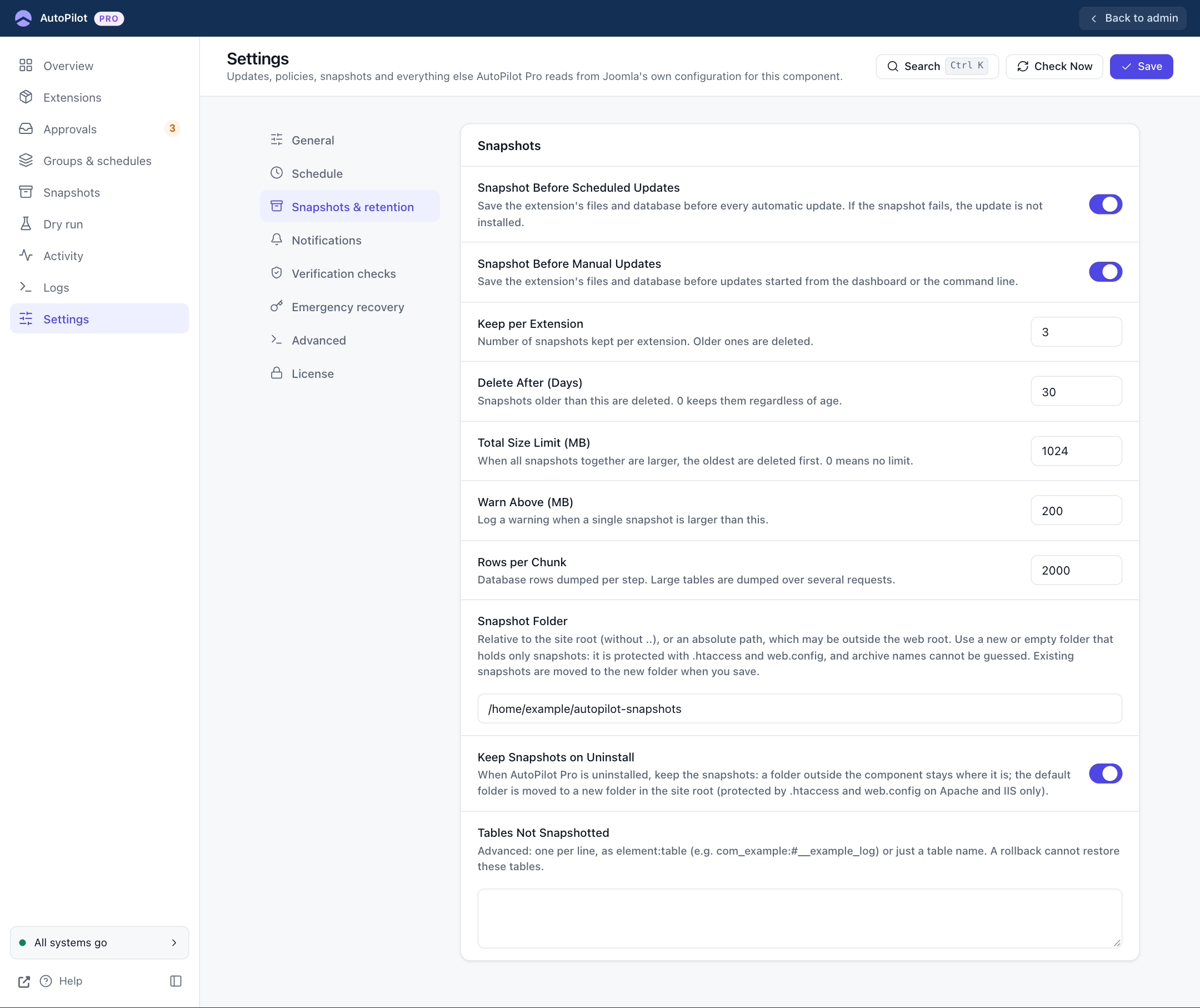
| Field | Default | What it does |
|---|---|---|
| Snapshot Before Scheduled Updates | On | Save the extension before every automatic update. If the snapshot fails, the update is not installed. |
| Snapshot Before Manual Updates | On | The same for updates you start yourself. |
| Keep per Extension | 3 | How many snapshots are kept for each extension. Older ones are deleted. |
| Delete After (Days) | 30 | Snapshots older than this are deleted. 0 keeps them regardless of age. |
| Total Size Limit (MB) | 1024 | When all snapshots together are larger, the oldest are deleted first. 0 means no limit. |
| Warn Above (MB) | 200 | Writes a warning to the log when one snapshot is larger than this. |
| Rows per Chunk | 2000 | Database rows saved per step. Large tables are saved over several requests. Change it only if snapshots time out. |
| Snapshot Folder | administrator/components/com_autopilotpro/snapshots |
Where snapshots are stored. A path relative to the site root, or an absolute path, which may be outside the web root. Use a folder that holds only snapshots. Existing snapshots are moved when you save. |
| Keep Snapshots on Uninstall | On | See Uninstalling. |
| Tables Not Snapshotted | Empty | Advanced. One per line, as element:table (for example com_example:#__example_log) or just a table name. Use it for large log or cache tables. A rollback cannot restore the tables listed here. |