

Groups & Schedules
Sidebar → Groups & schedules. A group gives several extensions the same rules. Instead of configuring twenty extensions one by one, you put them in a group and configure the group.
Sidebar → Groups & schedules. A group gives several extensions the same rules. Instead of configuring twenty extensions one by one, you put them in a group and configure the group.
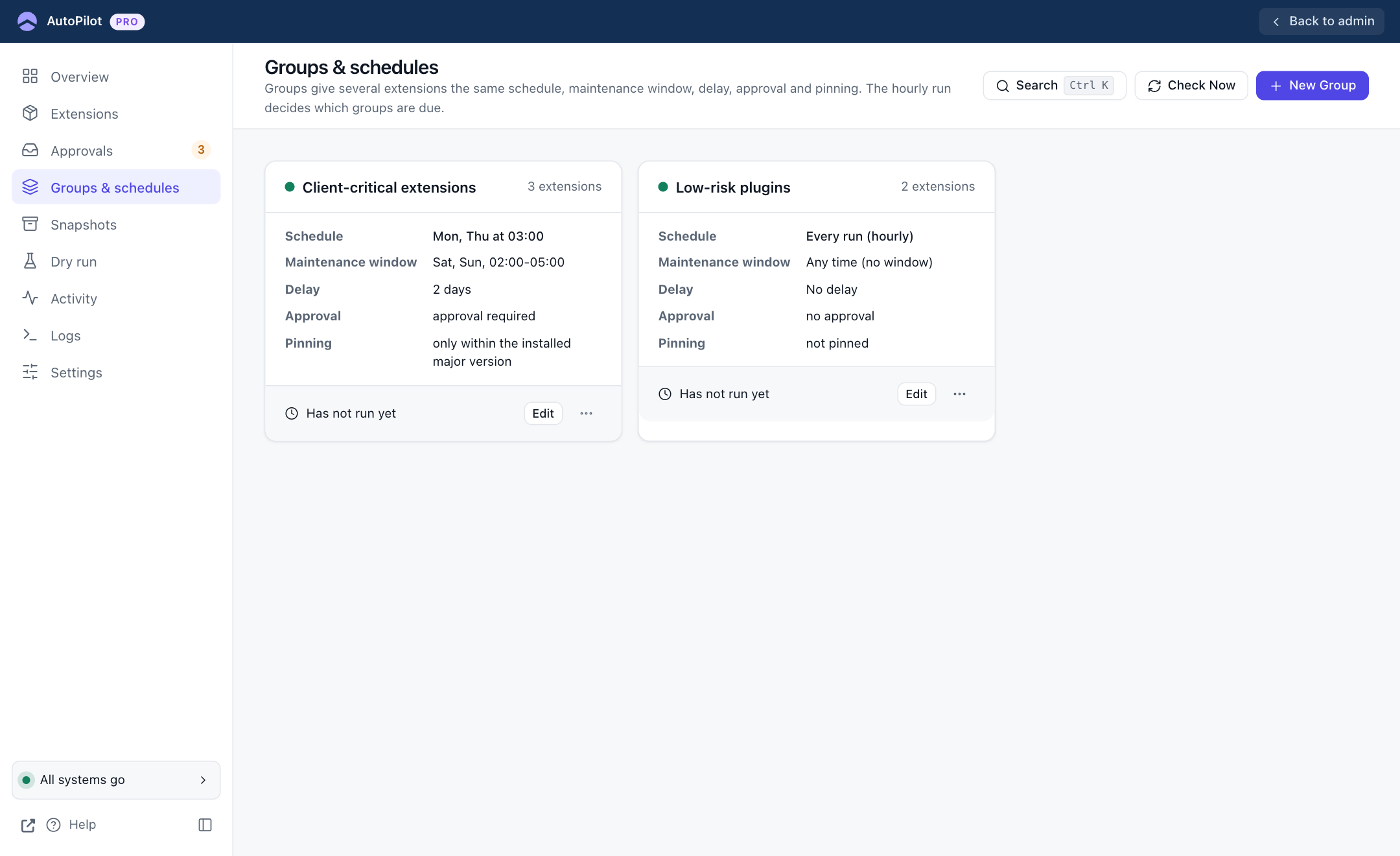
Each card shows the group's rules at a glance: schedule, maintenance window, delay, approval and pinning, the number of extensions, and when the group last ran. Two examples from the screenshot:
- Client-critical extensions: updated only on Monday and Thursday at 03:00, only inside a weekend window, two days after a release, after approval, and never to a new major version.
- Low-risk plugins: updated on every hourly run, with no restrictions.
Creating or editing a group
Click New Group, or Edit on a card. The editor opens as a panel.
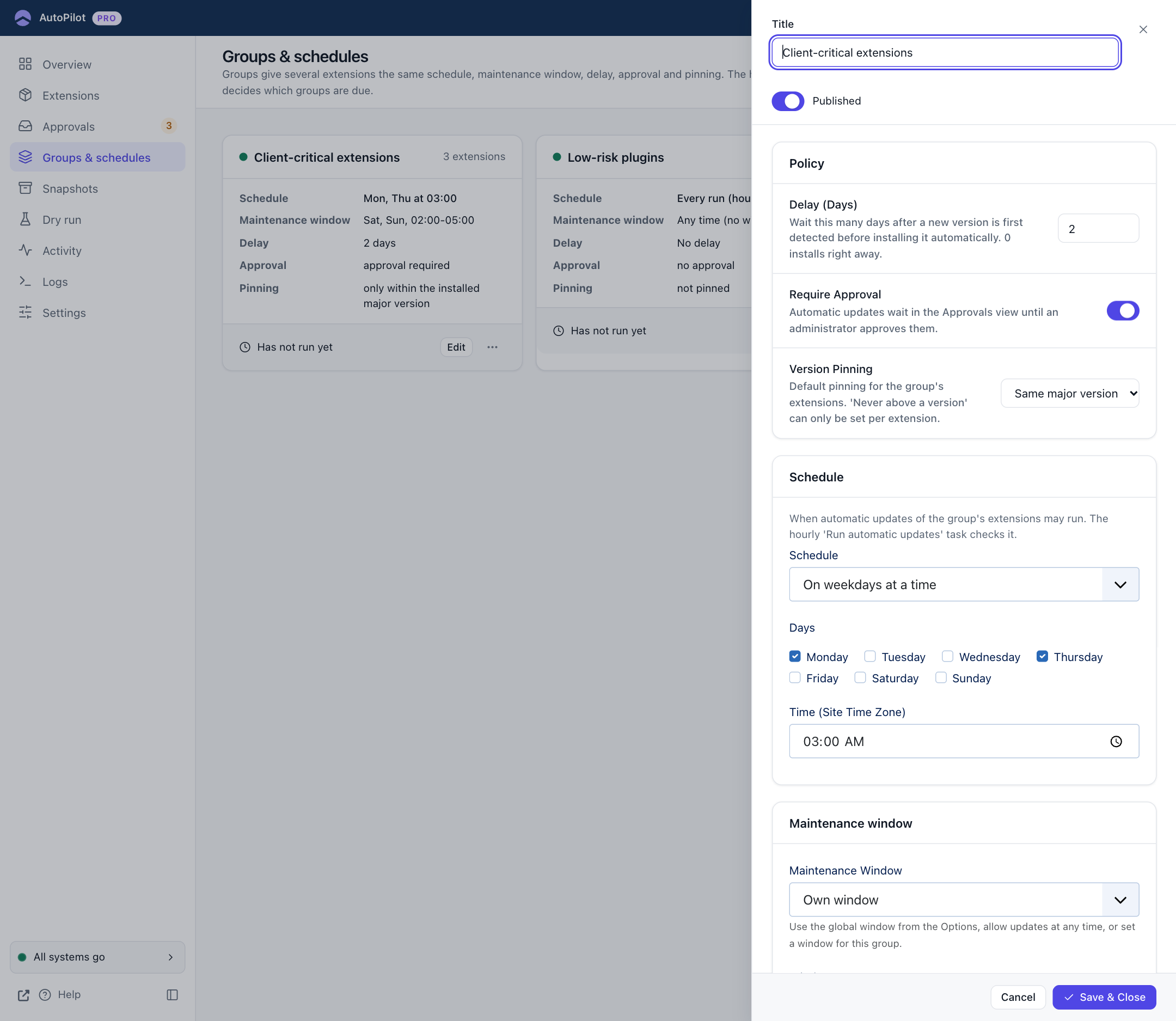
| Field | What it does |
|---|---|
| Title | The group's name. |
| Published | An unpublished group is ignored: its extensions behave as if they had no group. Use this to switch a group's rules off for a while without deleting it. |
| Delay (Days) | Wait this many days after a new version was first seen. 0 installs right away. |
| Require Approval | The group's automatic updates wait in Approvals. |
| Version Pinning | Not pinned, Same major version or Patch updates only. "Never above a version" can only be set per extension. |
| Schedule | Every run (hourly), Every N hours or days, or On weekdays at a time with Days and Time (Site Time Zone). |
Scroll down for the maintenance window:
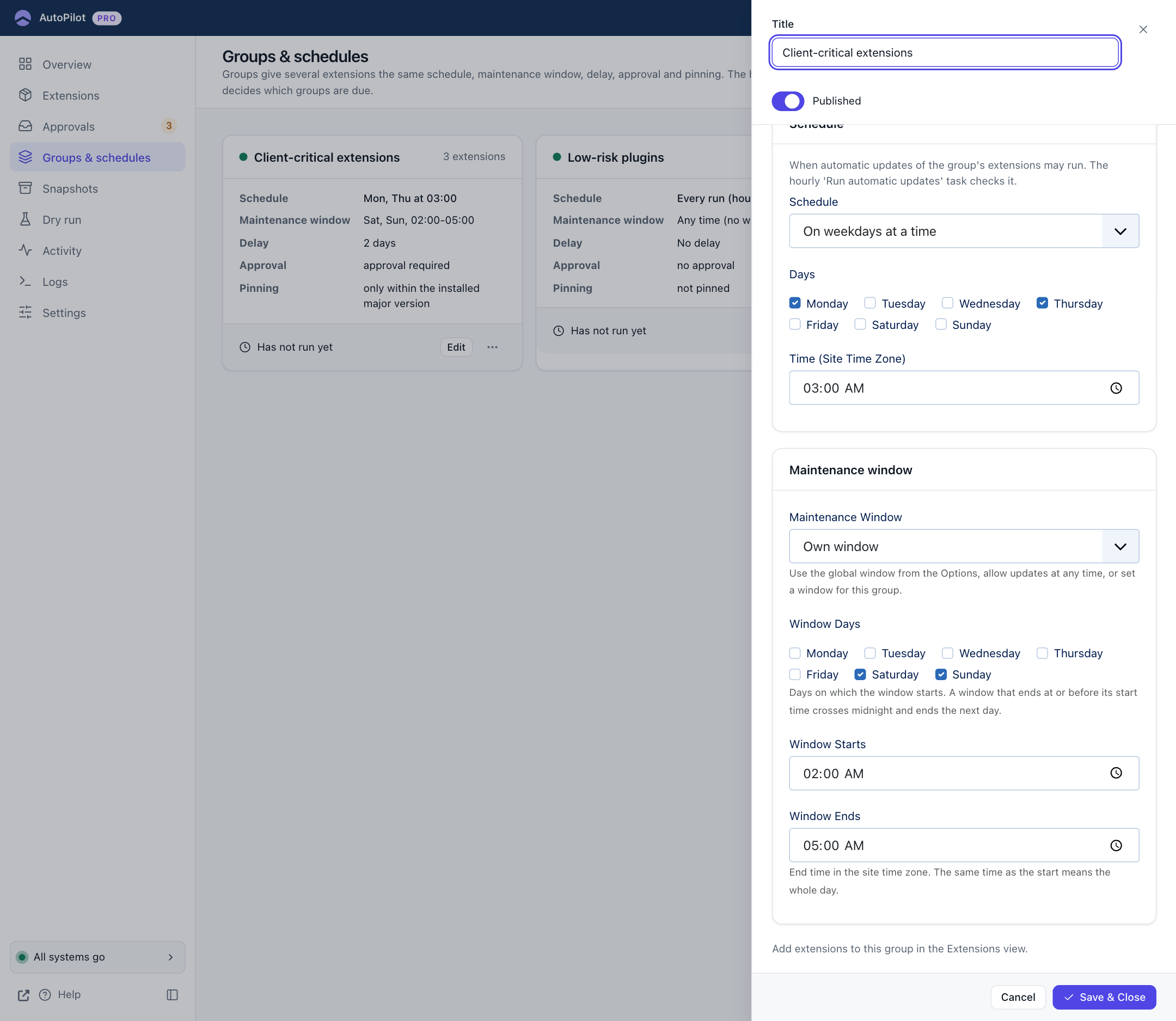
| Maintenance Window | Meaning |
|---|---|
| Global maintenance window | Use the window from Settings → Schedule. |
| Any time (no window) | No window for this group, even if a global window is set. |
| Own window | Set Window Days, Window Starts and Window Ends for this group. |
Two rules about windows:
- Window Days are the days on which the window starts. A window that ends at or before its start time runs past midnight and ends the next day. Saturday 22:00 to 04:00 ends on Sunday morning.
- The same start and end time means the whole day.
Click Save & Close.
Putting extensions into a group
Groups are filled from the Extensions screen. Either select several rows and use Move selected to group in the bulk bar, or set Group in one extension's settings. An extension belongs to one group at most.
Schedule or window: what is the difference?
They answer different questions, and both must agree before an update is installed.
- The schedule says how often the group is looked at: every hour, every two days, Mondays at 03:00.
- The maintenance window says during which hours updates may be installed at all.
A window only helps when a run starts inside it. On a site without visitors during the window, set up a cron job: see The Lazy Scheduler needs visitors.
A schedule of "Monday and Thursday at 03:00" with a window of "Saturday and Sunday 02:00–05:00" never matches, and the group would never update. Dry run shows this immediately, with the reason and the next time the window opens.