

Logs
Sidebar → Logs. The technical record below Activity. Activity has one line per update. Logs have one line per step.
Sidebar → Logs. The technical record below Activity. Activity has one line per update. Logs have one line per step.
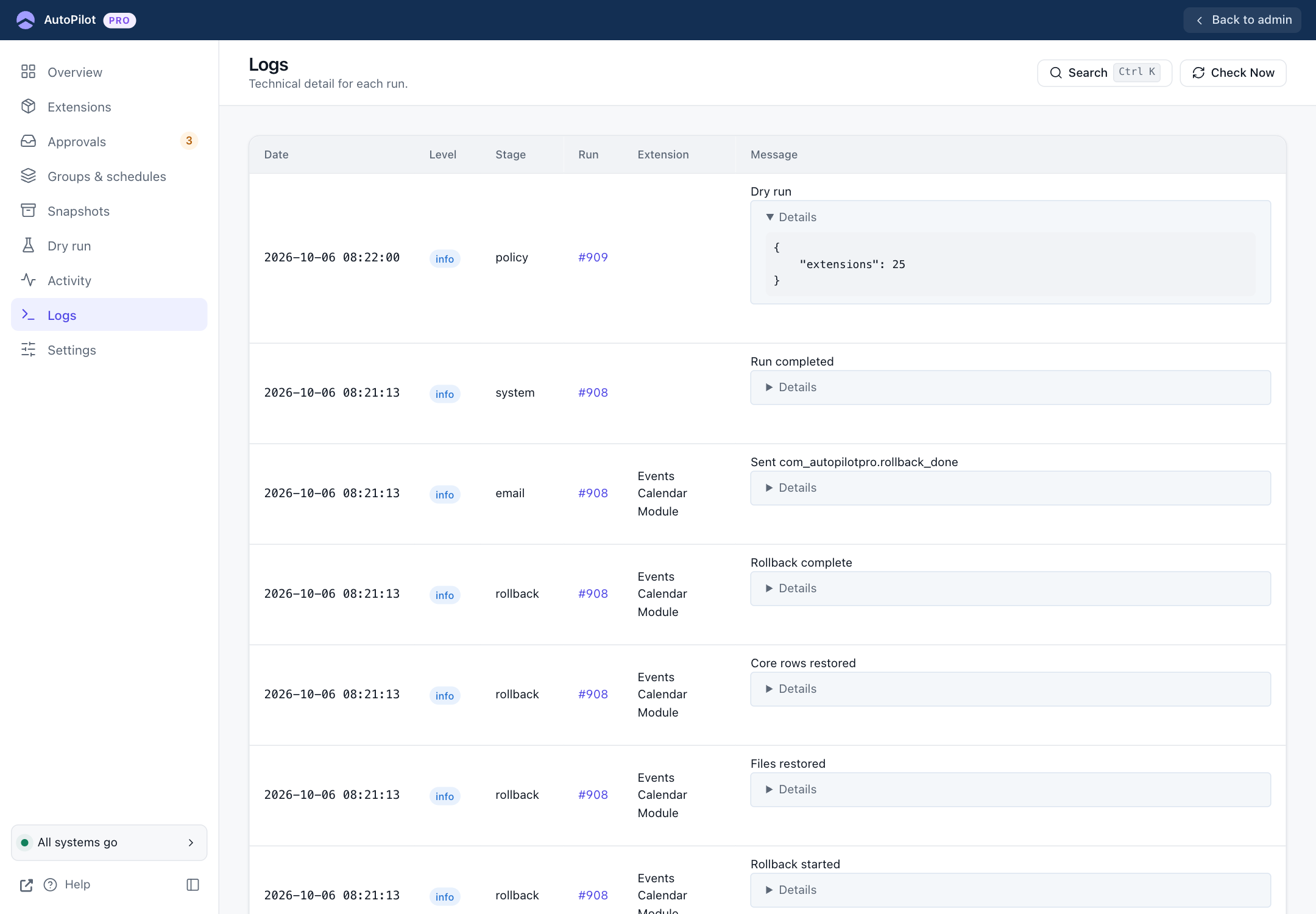
| Column | Shows |
|---|---|
| Date | When the step happened. |
| Level | info, warning, error, or debug when debug logging is on. |
| Stage | The part of the work: policy (the decision), download, snapshot, install, verify, rollback, email, system. |
| Run | The run number. Click it to see only that run, from start to finish. |
| Extension | The extension the step was about. |
| Message | What happened. Details opens the technical data, for example which checks passed. |
Reading one run from the bottom up tells the full story of an update: download, snapshot started, snapshot complete, installing, installed, verification, result, email sent.
Old entries are deleted after the days set in Settings → General → Keep Logs, or by hand with the purge control at the bottom (Super Users). Turn on Settings → Advanced → Debug Logging when you need more detail, including the output of extension install scripts.